No Code Tools: Indie-Built App Builders (2026)
Which no code tools suit a solo founder? It depends on what you build. Pick a web app builder for a product, a site builder for marketing pages, a mobile builder for phone apps, and a spreadsheet-to-app tool for internal work. Every tool below comes from independent makers and sits in the MyTools no-code category.
Jump to the tool grid and filter by tag, or keep reading for the short version.
Best No Code Tools for Solo Founders: The Short Answer
No code tools are visual software platforms. You build apps, sites, and workflows by dragging and dropping instead of writing code. People who work this way are often called citizen developers, because they ship working software without a programming background.
I built this directory with a no-code tool, Directify, so I live with the same trade-offs I describe here. Here is the quick map of what you might build:
- Web app: a full product with logins, data, and logic.
- Site: marketing pages, blogs, portfolios. A no code website builder covers this one.
- Mobile app: something people install or add to a phone.
- Internal tool: dashboards and portals for your own team or clients.
Want ranked verdicts instead? Read the ranked no code app development tools page. This page is the catalogue. That one is the shortlist.
How We Vet and Tag Every No Code Tool in the Catalogue
Let's break down how a tool earns a spot.
What hand-vetted means
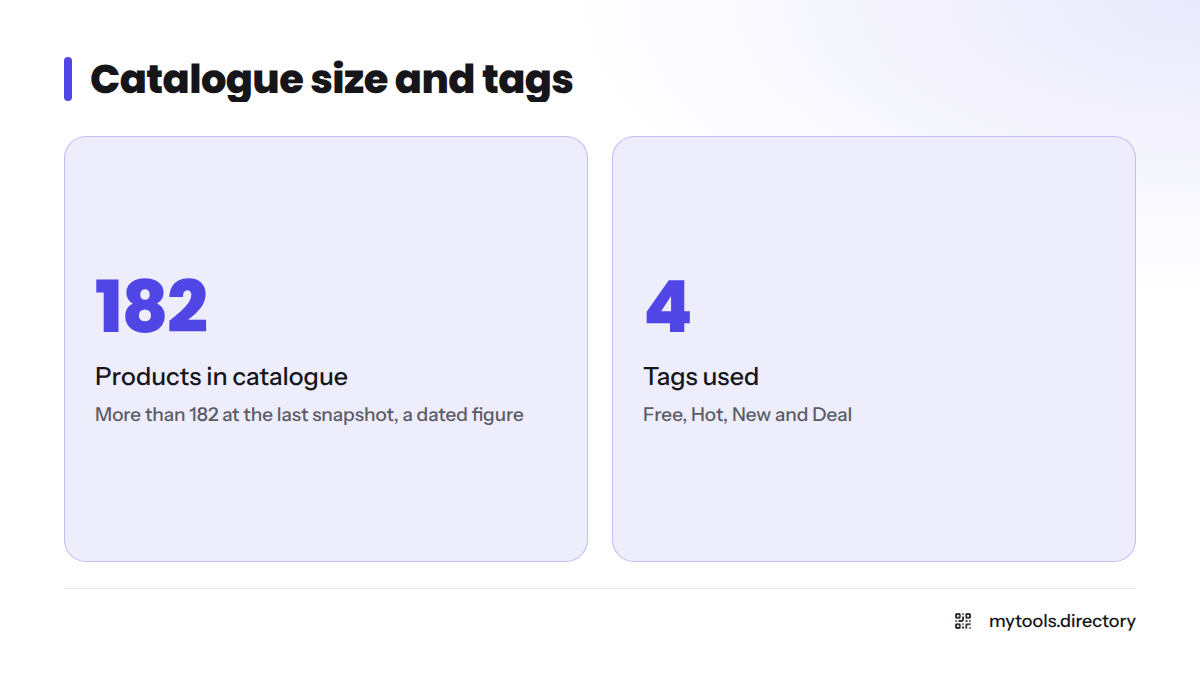
A person opens the product, checks that the maker's site works, and confirms the tool does what the listing says. The catalogue held more than 182 products at the last snapshot. Treat that as a dated figure, since new tools arrive often.
Free, Hot, New and Deal tags explained
| Tag | What it tells you |
|---|---|
| Free | The maker offers a free plan or free tier. Check its limits on the maker's site. |
| Hot | The tool is drawing attention from visitors right now. |
| New | The tool was added recently. |
| Deal | The maker has shared a discount or offer. Confirm the terms on the maker's page before you buy. |
Popularity and rating sort
Sort by popularity to see what other founders open most. Sort by rating to see which tools visitors scored highest. Neither replaces a trial run, so test before you commit.
Browse No Code App and Site Builders (Filter by Free, Hot, New, Deal)
The grid on this page filters by tag and sorts by popularity or rating. Each card carries a one-line selection note and links straight to the maker's own site. For a wider view, the no-code tools directory lists the full set, including indie no code tools you may not have heard of.
Next steps: start with the Free tag, build a tiny version of your idea, and look at paid plans only after that. It is the easiest way to find no code tools free of upfront cost and still learn what you need.
No Code Tools for Building Web Apps and Sites
If you want a full product, start with web app builders. Bubble describes itself as a platform for building full-stack web apps without code. If polished pages matter more, a visual site builder such as Webflow targets marketing sites and content. Softr focuses on turning data into portals and directories.
My view: pick the tool whose templates already look like your idea. You will move faster than if you fight a blank canvas.
Comparing builders for a first product? The best no code app builder picks page ranks them for solo founders. If you want to build without coding at all, that ranking is the place to begin.
No Code Tools for Building Mobile and Internal Apps
Glide builds apps from spreadsheets and other data sources, which suits internal tools and client-facing apps. Adalo targets mobile apps you can publish to app stores. Check each vendor's pricing page for current plan limits before you plan around a free tier.
Looking for Glide alternatives? Search the grid by the Free tag and compare cards side by side.
Low Code vs No Code: Which Fits a Solo Founder?
Low-code platforms for founders add some hand-written code on top of visual building. No-code tools aim to need none. In the low code vs no code decision, the question is how much custom logic your product needs. If the answer is "very little," stay no-code and ship sooner. If you already know you need custom behavior, a low-code option gives you room to grow.
For founder-friendly options on both sides, see the solo founder hub.
How to Choose a No Code App Builder
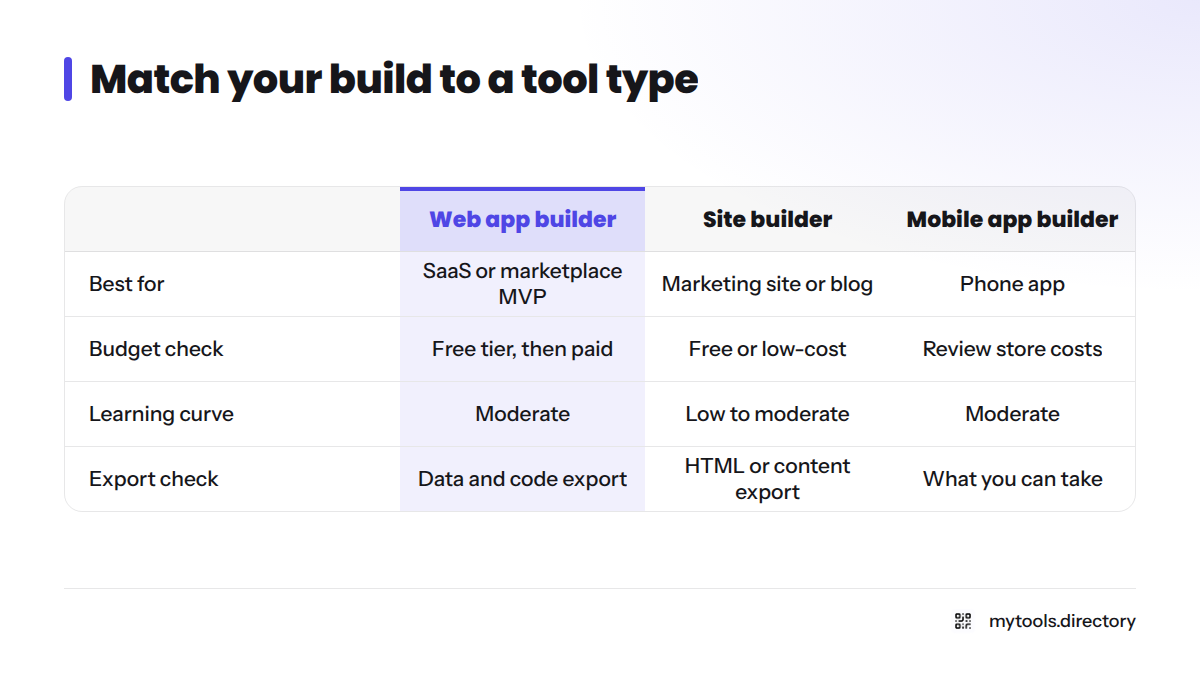
Use this table to match your build to a tool type.
| What you are building | Tool type | Budget check | Learning curve | Export check |
|---|---|---|---|---|
| SaaS or marketplace MVP | Web app builder | Free tier, then paid plan | Moderate | Ask about data and code export |
| Marketing site or blog | Site builder | Free or low-cost plan | Low to moderate | Check HTML or content export |
| Phone app | Mobile app builder | Review store-publishing costs | Moderate | Check what you can take with you |
| Team dashboard or client portal | Spreadsheet-to-app tool | Free tier often enough to test | Low | Your data stays in your sheet |
A short checklist before you pick:
- Write one sentence describing the first version.
- Choose the build type from the table.
- Filter the grid by Free and try two tools.
- Rebuild the same screen in each and compare the effort.
Limits to Check Before You Commit: Lock-In, Scale, and Code Escape Hatches
Vendor lock-in means moving away later costs you time or data. Check these first:
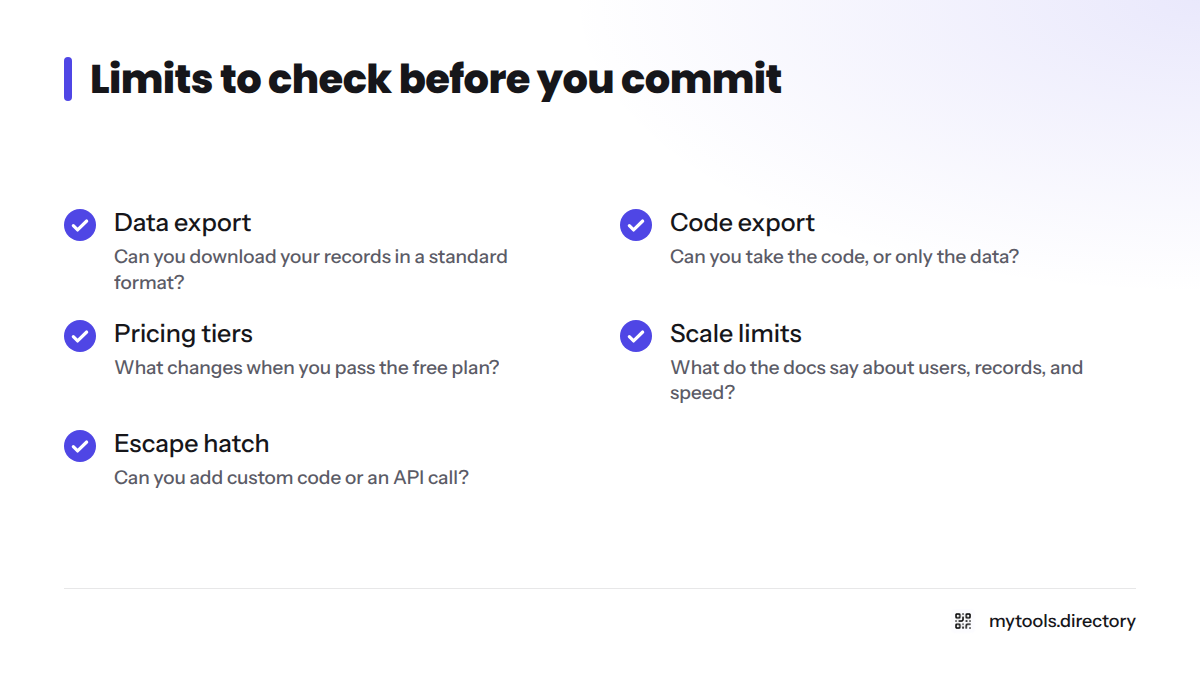
- Data export: Can you download your records in a standard format?
- Code export: Does the tool let you take the code, or only the data?
- Pricing tiers: What changes when you pass the free plan?
- Scale limits: What do the docs say about users, records, and speed?
- Escape hatch: Can you add custom code or an API call when a feature is missing?
I never trust a performance claim without a test. Load a realistic amount of sample data and watch how the tool behaves.
Where to Go Next: Guides, Ranked Picks, and Alternatives
- Want a ranking? Open the ranked no code app development tools.
- Need to connect tools and move data? Browse no-code automation and database tools.
- Ready to announce your build? Check the startup directories for indie makers.
- Back to the start? Visit the MyTools homepage.
Built a no-code tool yourself? Submit it through the listing form and reach founders who are shopping right now.
FAQ
No code tools are visual platforms for building apps, sites, and automations. You use drag-and-drop editors and settings instead of programming.
Many are. Use the Free tag to find tools with a free plan, then confirm limits on each maker's pricing page, since plans change.
A person reviews each listing, checks the maker's site, and assigns tags. Independent makers build the listed products.
For many MVPs, internal tools, and sites, yes. When you need custom logic, heavy scale, or full code ownership, plan for a developer or a tool with code export.
Low-code apps combine visual building with some custom code. The editor gives you speed, and the code gives you flexibility where the editor stops.
- Filter the grid by the Free tag.
- Pick a tool that matches your build type.
- Build a one-screen prototype on the free plan.
- Check the plan limits before inviting real users.