
Directory Tool Guide: Build a Directory Site in 2026
If you're a solo founder building a curated listing site, a no-code directory tool such as Directify, the no-code directory tool behind MyTools is the fastest route to a live site. Job boards and transactional marketplaces need different software. Below, I share how MyTools runs on Directify, one-line verdicts on the main options, and where to go next.
This page covers directory website tools. It doesn't cover file-listing utilities or the Alteryx Directory tool.
Pick Your Route
- I want a hands-on look at the tool: start with Directify, the platform MyTools runs on, on its MyTools listing.
- I'm starting from zero: a guide on how to start a directory from scratch is coming to this hub soon.
- I want to compare builders: a comparison of directory website builder options is also on the way. Meanwhile, browse the Directory category.
Which Directory Tool Should a Solo Founder Use?
A directory tool is software for building and managing a searchable website of listings, with categories, filters and submission forms. No developer on your team and a hand-curated directory in mind? Pick a no-code directory builder. Need payments between users? Pick a marketplace builder instead.
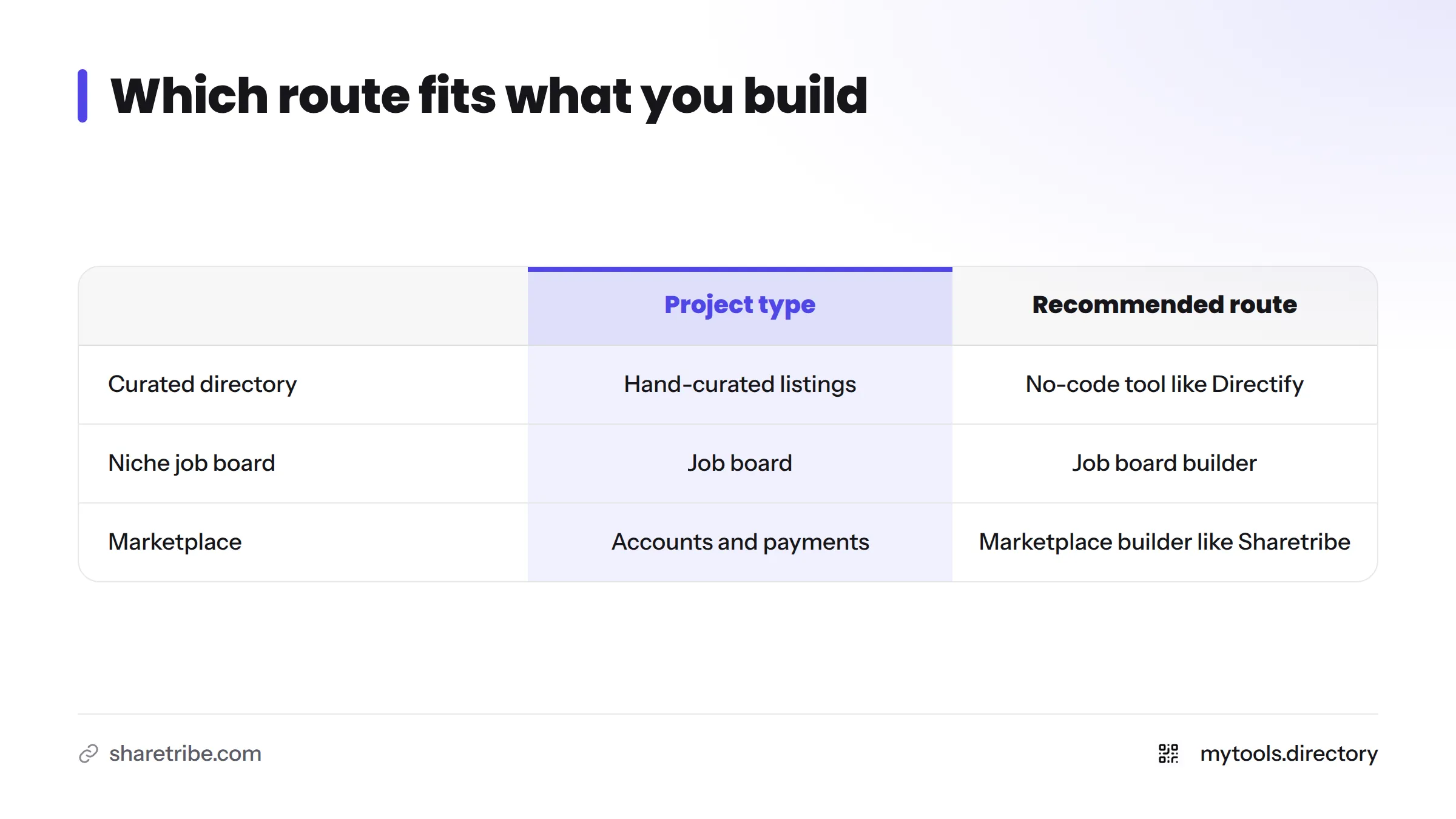
| What you want to build | Recommended route |
|---|---|
| Hand-curated listing directory | No-code directory tool such as Directify |
| Niche job board | Job board builder |
| Marketplace with user accounts and payments | Marketplace builder such as Sharetribe |
I may be biased, since MyTools sits on Directify. I'm saying so up front so you can weigh my verdict accordingly.
How I Built and Run MyTools on Directify
Let's break it down with what I know first-hand.
What MyTools Is
MyTools is a hand-curated directory of indie-built products with 182+ listings. Each listing sits in a category and can carry tags such as Free, Hot, New and Deal. Featured placement gives selected tools more visibility. You can see the result on the MyTools homepage.
Setup in Practice
I defined categories, created the listing fields, added tags, and turned on a submission form. No code was involved, and the technical part fit into a weekend. Filling the site with listings worth visiting took far longer. I cover that below.
What Directory Software Has to Do for a Solo Operator
This is the checklist I use when judging any directory software:
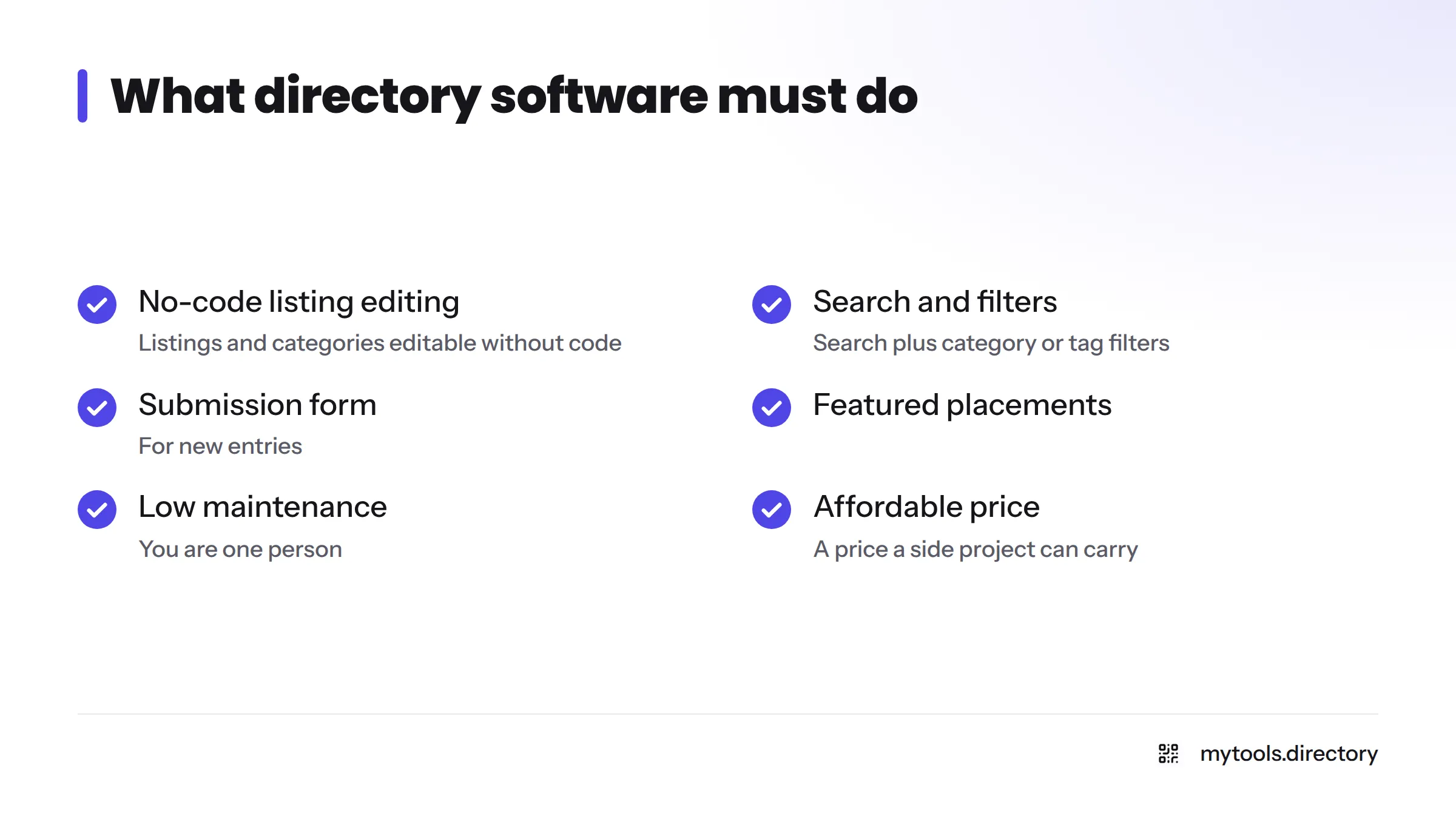
- Listings and categories you can edit without code
- Search plus category or tag filters
- A submission form for new entries
- Featured placements
- Low maintenance, since you are one person
- No-code setup
- A price a side project can carry
Curation is its own skill, and I'll write up how I vet entries in a dedicated guide on curating listings by hand. For the tools-side view, see my No-Code Tools Directory.
One-Line Verdicts on Directory Builders
- Directify: my pick for a curated listing directory run by one person. MyTools runs on it.
- Sharetribe: built for marketplaces where users transact. Check Sharetribe's official site for current features and pricing.
- Job board software: the right category for a niche job board. A separate comparison will cover it.
- Association and local-business directory software: products like MemberClicks target associations and chambers of commerce, a different audience from solo founders.
For wider options, the Best No-Code Tools for Indie Hackers page is a good starting point.
When a Directory Tool Is the Wrong Fit
Two questions settle most cases:
- Do users need accounts and payments? If yes, look at a marketplace builder such as Sharetribe.
- Do users transact with each other? If yes, a directory tool will feel too thin.
If all you list is jobs, a job board builder fits better than a general directory tool. If you list products or resources and send visitors elsewhere, a directory tool is enough.
Limits and Curation Workload Across 182+ Listings
Setup takes a weekend; curation is the real job.
Here is what I ran into:
- Design control: a no-code tool gives you templates, not pixel-level freedom.
- Custom logic: unusual features, such as custom ranking rules, may not be possible.
- Vetting time: every listing needs a human check before it earns a place.
- Freshness: products change, move or shut down, so old listings need revisiting.
None of these is a dealbreaker. They are the honest cost of a hand-curated site.
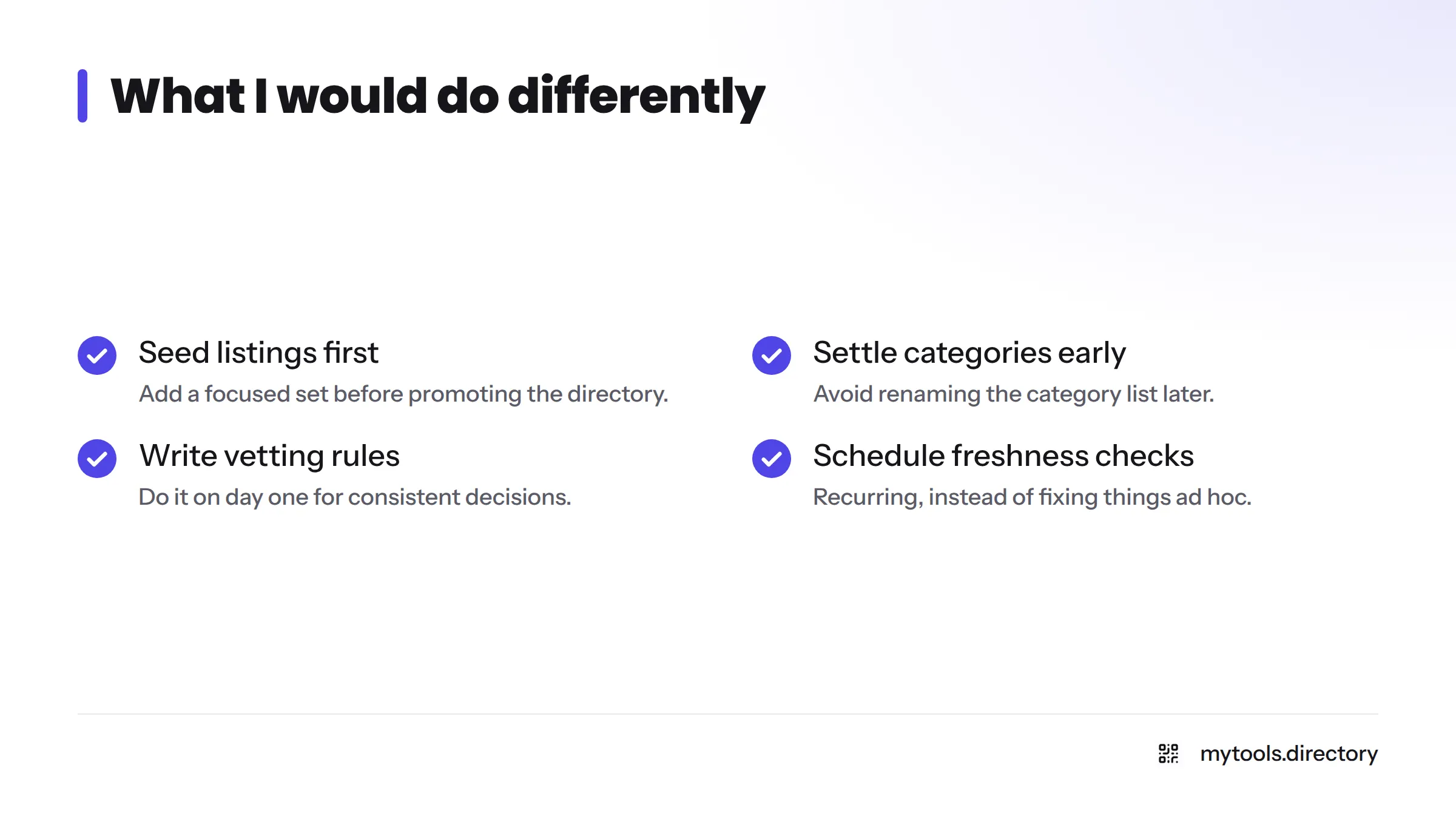
What I Would Do Differently
- Seed the directory with a focused set of listings before promoting it.
- Settle the category list early and avoid renaming it later.
- Write down vetting rules on day one so decisions stay consistent.
- Schedule a recurring freshness check instead of fixing things ad hoc.
- Share progress openly. My build in public guide explains how.
Directory Building Posts: Where to Go Next
- Start a directory: the zero-to-live walkthrough (coming soon).
- Directory builders compared: side-by-side options (coming soon).
- Ways to earn from a directory: monetization routes (coming soon).
- Getting directory pages to rank: search basics (coming soon).
- Curating listings by hand: my vetting process (coming soon).
- Directify listing: the hands-on page.
- Side projects: tools for indie hackers running side projects live in the Solo Founder hub.
Want to get your own product in front of directory visitors? See how to submit your indie tool or browse startup directories for indie makers.
FAQ
For a curated listing directory run by one person, I recommend a no-code tool like Directify. For a marketplace with payments, choose a marketplace builder such as Sharetribe. For jobs, choose job board software.
Yes. A no-code directory builder handles categories, listing fields, filters and submission forms through a visual admin. You will hit limits on design and custom logic, but a working site needs no developer.
The technical setup took me about a weekend. Sourcing and vetting listings takes much longer and never really ends.
Yes, add a focused starter set first. An empty directory gives visitors no reason to return. Start narrow, make those listings good, then grow.
Next Steps
Open Directify's listing on MyTools to see the tool in action. When the builder comparison goes live on this hub, use it to weigh your options side by side.