Wispr Flow Competitors: Best Dictation Tools 2026
The best Wispr Flow competitors for voice dictation in 2026 are Superwhisper, VoiceInk, Aqua Voice, Typeless, and the free built-in dictation on Apple and Windows devices. Which one fits comes down to three questions: Do you need offline dictation? What can you spend? Which platforms do you type on? This shortlist is written for solo founders and small teams. For Wispr Flow's own pricing, check the official Wispr Flow site instead of trusting a third-party number.
I run MyTools, a directory of indie-built products, so I lean toward small, focused tools. I flag that bias where it matters, and I did not invent a single benchmark.
Best Wispr Flow Alternatives in 2026 at a Glance
The table gives the fast answer. Pricing models change often, so every row points to the vendor's own site. Confirm current plans there before you pay anything.
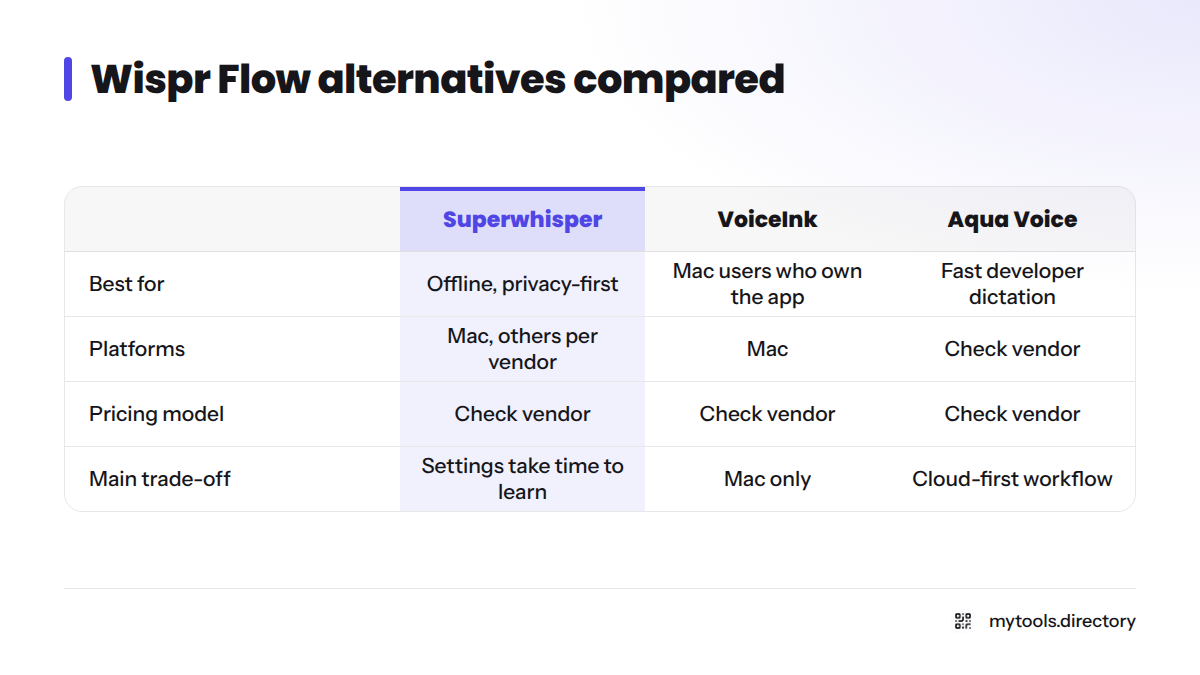
| Tool | Best for | Pricing model | Platforms | Main trade-off | Check pricing |
|---|---|---|---|---|---|
| Superwhisper | Offline, privacy-first dictation | Check vendor | Mac, with other platforms listed by the vendor | Settings take time to learn | superwhisper.com |
| VoiceInk | Mac users who want to own the app | Check vendor | Mac | Mac only | tryvoiceink.com |
| Aqua Voice | Fast dictation for developers | Check vendor | Check vendor | Cloud-first workflow | aquavoice.com |
| Typeless | Free-tier testing and mobile | Check vendor | Check vendor | Limits can change | typeless.com |
| Apple Dictation / Windows voice typing | Free baseline | Included with the OS | Apple devices; Windows | Fewer AI cleanup features | Apple Support |
How I Chose These Voice Dictation Alternatives
Let's break down the method first. Most pages ranking for this topic are vendors putting their own product at number one, and I wanted to avoid that.
Selection criteria
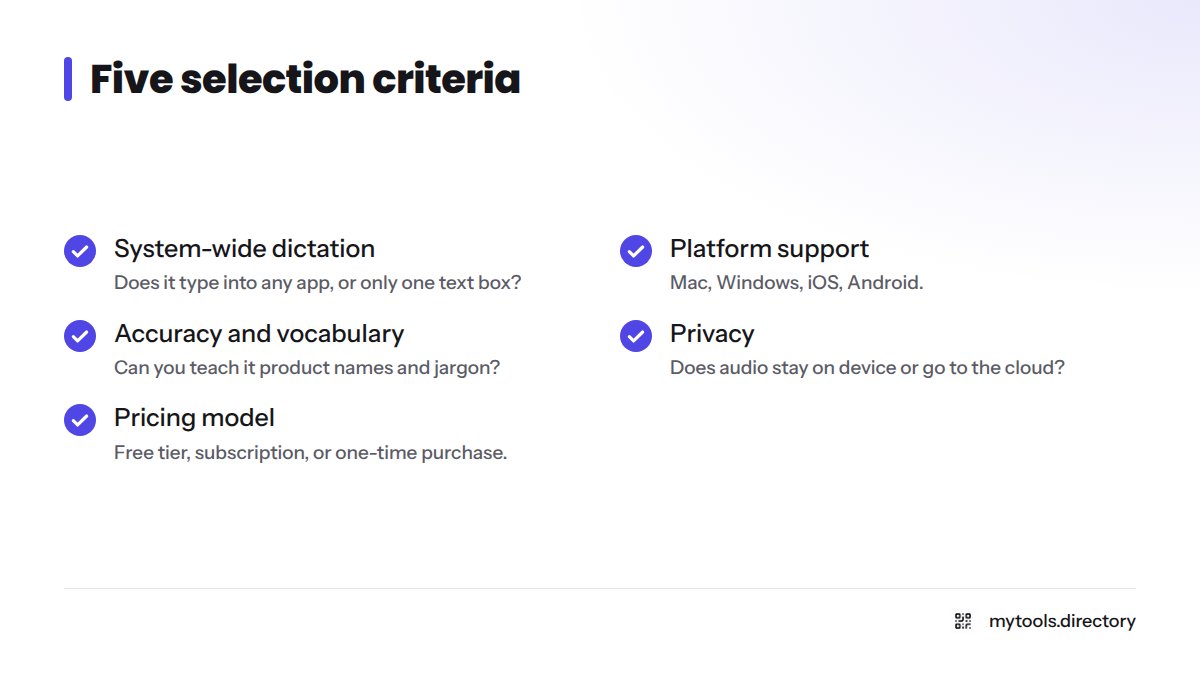
I judged each tool on five points:
- System-wide dictation. Does it type into any app, or only one text box?
- Platform support. Mac, Windows, iOS, Android.
- Accuracy and custom vocabulary. Can you teach it your product names and jargon?
- Privacy. Does audio stay on your device or go to the cloud?
- Pricing model. Free tier, subscription, or one-time purchase.
What I verified, and when
I last checked vendor sites in October 2026, using their live websites. I ran no controlled lab tests, so you will find no accuracy percentages or head-to-head scores here. Treat any number elsewhere that lacks a named source with suspicion. MyTools is a directory, and nothing in this article is a paid placement.
1. Superwhisper: Best for Offline, Privacy-First Dictation
Superwhisper comes up more than any other tool in Wispr Flow vs Superwhisper comparisons. It runs speech models such as OpenAI Whisper locally, which suits anyone who does not want audio leaving the machine.
- Strengths: on-device processing options, custom modes for different writing jobs, a hotkey-driven flow.
- Trade-off: more settings than a simple dictation keyboard, so expect a short learning curve.
- Skip it if: you want zero configuration.
2. VoiceInk: Best for Mac Users Who Prefer to Own Their Software
VoiceInk is a Mac dictation app for people tired of yet another monthly bill. Check its site for current purchase terms before you buy.
- Strengths: local-first design, a focused Mac experience, custom vocabulary support.
- Trade-off: Mac only.
- Skip it if: you work on Windows or need a phone keyboard.
3. Aqua Voice: Best for Fast, Developer-Friendly Dictation
Aqua Voice targets people who write and code all day and want quick, cleaned-up text. Specs, pull request notes, and long messages suit it well.
- Strengths: a speed-focused workflow and developer-minded positioning.
- Trade-off: confirm on the vendor site what runs in the cloud and what runs on-device.
- Skip it if: strict offline use is a hard requirement.
4. Typeless: Best for Testing a Free Tier
Typeless deserves a trial if you want to try AI dictation apps without paying first. Free-tier limits differ between sources and change often, so read the vendor page, not a review.
- Strengths: a low-risk way to test AI cleanup of spoken text.
- Trade-off: plan limits and platform support need checking today.
- Skip it if: you need guaranteed offline processing.
5. Apple Dictation or Windows Voice Typing: Best Free Baseline
Looking for a Wispr Flow free alternative? Start here. Apple Dictation and Windows voice typing cost nothing beyond the device. They handle plain speech-to-text well enough to show whether dictation suits you at all. They also make the simplest Wispr Flow alternative for Windows, since voice typing is already built in.
- Strengths: free, built in, no install.
- Trade-off: less rewriting and filler-word cleanup than dedicated AI apps.
- Skip it if: you want polished, formatted output without editing.
More Speech to Text Tools for Writers and Developers
- MacWhisper and Whisper.cpp: suited to technical users who like running Whisper models locally. See the Whisper.cpp project.
- Dragon Professional: a long-standing Windows option from Nuance, now part of Microsoft.
- Spokenly: a newer dictation app that gets mentioned beside VoiceInk and Superwhisper.
- Otter.ai: built for meeting transcription, not live dictation into any app. See Otter.ai.
For indie-built options, browse the indie-built AI-powered products in the MyTools catalogue. I only list products there that exist and work.
What Solo Founders Actually Dictate
This table reflects my editorial judgment, not a lab result. It covers what solo operators tend to dictate most.
| Use case | Why it matters | What to look for |
|---|---|---|
| Emails and support replies | Fastest daily time saver | Punctuation cleanup, tone control |
| Build-in-public posts | Drafting beats staring at a blank page | Quick hotkey, easy editing |
| Specs and notes | Long thoughts come out faster spoken | Custom vocabulary for product terms |
| Slack or Discord messages | Short, frequent, informal | Works in every app |
| Coding comments | Technical words trip up generic tools | Custom dictionary, developer modes |
If you share your work publicly, my guide to building in public pairs well with dictation for faster drafts.
How to Choose the Right Wispr Flow Alternative
A quick decision tree
- Need offline or on-device processing? Start with Superwhisper or VoiceInk.
- On Windows or Android? Check Typeless and Aqua Voice for current platform support, and use Windows voice typing as a baseline. I could not confirm Android support for any tool here, so verify it on the vendor page.
- Need it free? Use built-in dictation first, then trial Typeless.
- Want to avoid a subscription? Check VoiceInk's current purchase terms.
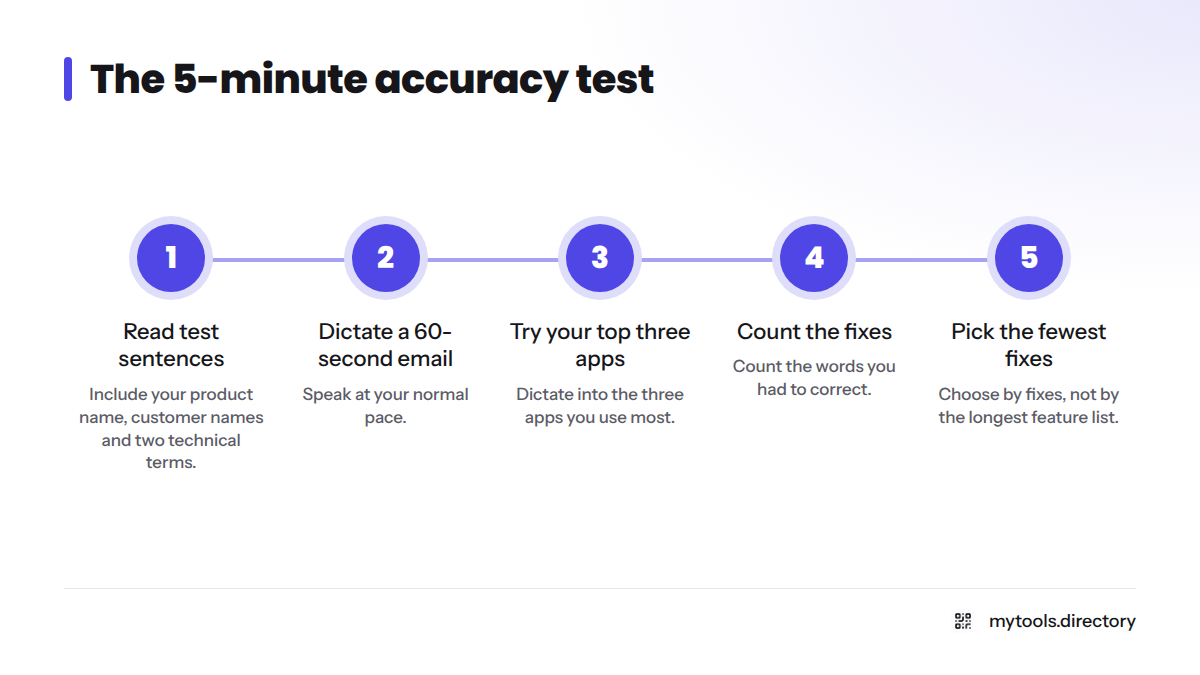
A 5-minute accuracy test
Run this in every free trial:
- Read three sentences containing your product name, your customers' names, and two technical terms.
- Dictate a 60-second email at your normal speaking pace.
- Dictate into your three most-used apps.
- Count the words you had to fix.
- Pick the tool with the fewest fixes, not the longest feature list.
Switching checklist
- Export or copy your snippets and custom vocabulary from your current tool.
- Set the same hotkey so muscle memory carries over.
- Test in your email client, browser, and chat app.
- Keep your old tool for a week before cancelling anything.
If a tool runs slowly on Windows, check microphone settings and background apps first. Then try a second tool before giving up on dictation.
Frequently Asked Questions
Built-in Apple Dictation and Windows voice typing are the safest free options. They cost nothing extra and work in most apps. Typeless offers a free tier worth trialling, but check its current limits on the vendor site.
System-wide dictation tools type wherever your cursor sits, including email, chat, and code editors. Some apps and secure fields block input, so test your three most-used apps during a trial.
For most everyday emails, yes, with a quick read-through before sending. Accuracy depends on your microphone, accent, and vocabulary. Run the 5-minute test above with your own names and jargon instead of trusting any quoted percentage.
Next Steps
Pick two tools from the table, run the accuracy test, and keep the one that needs the fewest fixes. Then browse more indie-built AI-powered products or start from the MyTools homepage to find tools made by small teams like yours. For more on working solo, see the solo founder hub.
Sources
- Wispr Flow official site
- Superwhisper official site
- VoiceInk official site
- Aqua Voice official site
- Typeless official site
- OpenAI Whisper project, GitHub
- Whisper.cpp project, GitHub
- Use Dictation on Mac, Apple Support
- Use voice typing to talk instead of type on your PC, Microsoft Support
- Otter.ai official site