Best No Code App Builder Picks for Indie Founders 2026
The best no code app builder for a solo founder in 2026 is Bubble if you need a full web app with logins, payments and custom logic. Glide wins if your app runs on a spreadsheet or database and you want it live this week. For native mobile apps, Adalo is the simplest start. Let's break down why.
A no code app builder is software that lets you assemble a working web or mobile app with a drag and drop editor, visual logic and a built-in database, instead of writing code. Last reviewed: October 2026.
Quick answer: the best no code app builder for solo founders in 2026
Here is my shortlist at a glance. It comes from hands-on use of no-code tools, not from a scraped aggregator table. MyTools itself runs on a no-code directory builder, so I have felt these trade-offs firsthand.
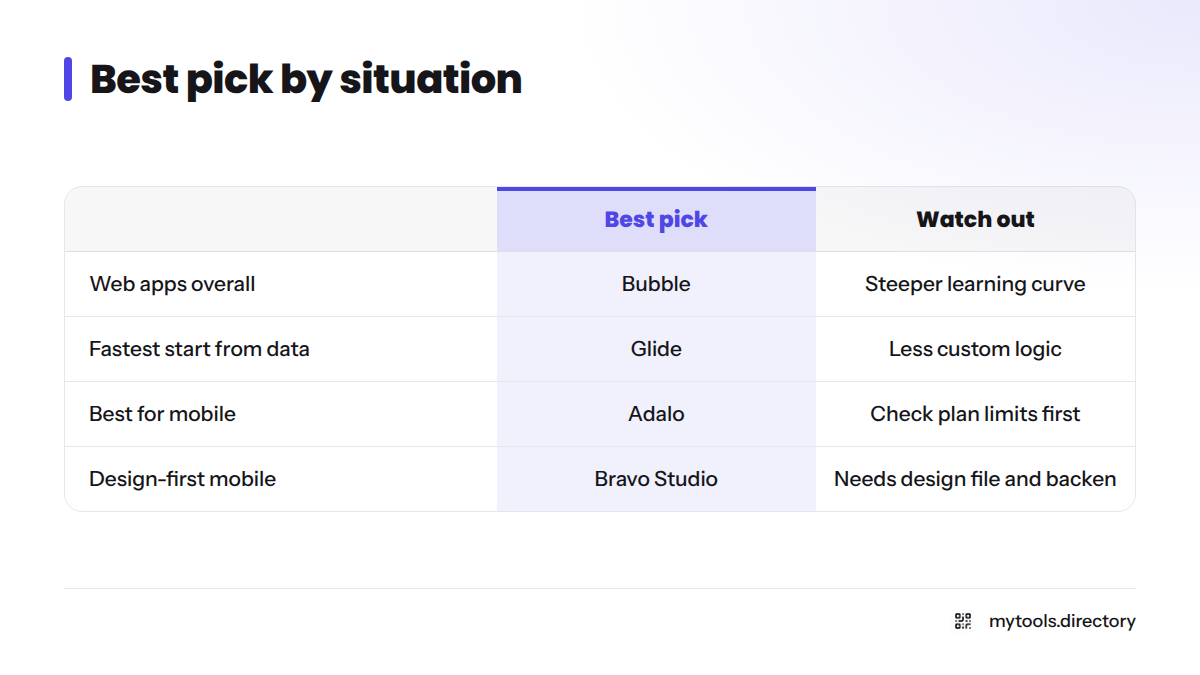
| Situation | Best pick | Why | Watch out |
|---|---|---|---|
| Best overall for web apps | Bubble | Deep visual logic, built-in database, plugins | Steeper learning curve |
| Fastest start from data | Glide | Turns a sheet or table into an app quickly | Less room for custom logic |
| Best for mobile | Adalo | Drag and drop screens, store publishing path | Check plan limits first |
| Design-first mobile | Bravo Studio | Turns Figma designs into apps | You need a design file and a backend |
| Lowest-cost start | Any builder with a free plan | Validate before you pay | Free plans cap usage and publishing |
Choose Bubble if you are building a marketplace, a SaaS dashboard or anything with real user accounts. Choose Glide if you want an internal tool or a simple customer app fast. Choose Adalo or Bravo Studio if a mobile app is the product itself.
How I ranked these no code app builders
I did not invent scores. Here is the method, so you can judge it.
Popularity and top-rated signals from the MyTools catalogue
The MyTools catalogue tracks which indie products people open and which earn the best reviews. I use those two signals as a tiebreaker, not as the whole verdict. I do not publish raw figures because they change, and I will not quote numbers I cannot show you.
My hands-on no-code experience
This part is subjective, and I say so. I weigh how fast I got from a blank screen to a working screen, and how painful the first change request felt.
What I checked: free tier, publishing path, data export, lock-in
Every pick got the same four questions:
- Free tier: can you build and test without paying?
- Publishing path: web link, installable app, or app store?
- Data export: can you take your data with you?
- Vendor lock-in: how hard is leaving?
Pricing changes often, so confirm on the vendor's pricing page before you commit. I checked each maker's site in October 2026.
The ranked list: best no code app makers for indie founders (2026)
1. Bubble: best for full web apps
Bubble is the most capable visual builder for a complete web product, and it is the Bubble no code app builder I reach for when a project has real accounts and workflows. It suits SaaS products, marketplaces and client portals. It handles user accounts, databases, workflows and payments through plugins. The limits: the editor takes time to learn, and your app lives on Bubble's platform. See Bubble's pricing page for current plans and its free option.
2. Glide: best for fast, data-driven apps
Glide is the quickest route from a spreadsheet or table to a usable app. As a Glide no code app builder, it fits internal tools, directories and simple customer apps, with list views, forms and role-based screens. Complex custom logic is harder here than in Bubble. Check Glide's pricing for the free plan terms.
3. Adalo: best for a first mobile app
Adalo is a friendly drag and drop app builder with a clear mobile focus. It works well for first-time founders shipping an iOS and Android MVP, covering screens, simple databases and user flows. Heavy data or unusual features may hit platform ceilings. See Adalo's pricing.
4. Bravo Studio: best for design-led mobile apps
Bravo Studio makes sense if you already design in Figma. Designers can turn mockups into real apps with pixel-accurate interfaces connected to APIs. The catch is that it needs a separate backend, so it is less all-in-one than the others.
5. Softr: best for portals on top of your data
Softr puts a clean web front end on an existing database fast. Client portals and membership sites are its sweet spot. Because it depends on your data source, you end up managing two tools. Visit Softr.
Want a wider net? Browse the broader no code app development tools roundup.
Build a web app without coding: top picks
If you want to build a web app without coding, start with one of these three:
- Bubble: the most flexible. Watch out for the learning curve and platform dependence.
- Softr: the fastest polished front end. Your data source sets its limits.
- Glide: the simplest. Custom logic hits a ceiling sooner.
My own pick for a web MVP is Bubble. I would rather hit a learning curve now than a wall at my first paying customer.
Best no code mobile app builder options
A no code mobile app builder comes in two flavors, and the difference matters.
- Native apps ship through the Apple and Google stores. You must follow the App Store Review Guidelines and Google Play developer policies.
- Progressive web apps (PWAs) install from the browser with no store review. They often cover an MVP.
Adalo and Bravo Studio target native publishing. Glide apps can run as installable web apps, so check its documentation to see which path your plan supports. If you are unsure, launch as a PWA first and go native when users ask for it.
No code app builder free plans: fastest launch, lowest cost
For the lowest cost, use the free plan of your chosen builder to prove demand. Bubble, Glide and Adalo each list a free or entry option on the pricing pages linked above. Limits and prices change, so read the plan table on the day you sign up. If you are hunting for the best app builder for startups on a tight budget, a free no code app builder plan is the cheapest way to test one.
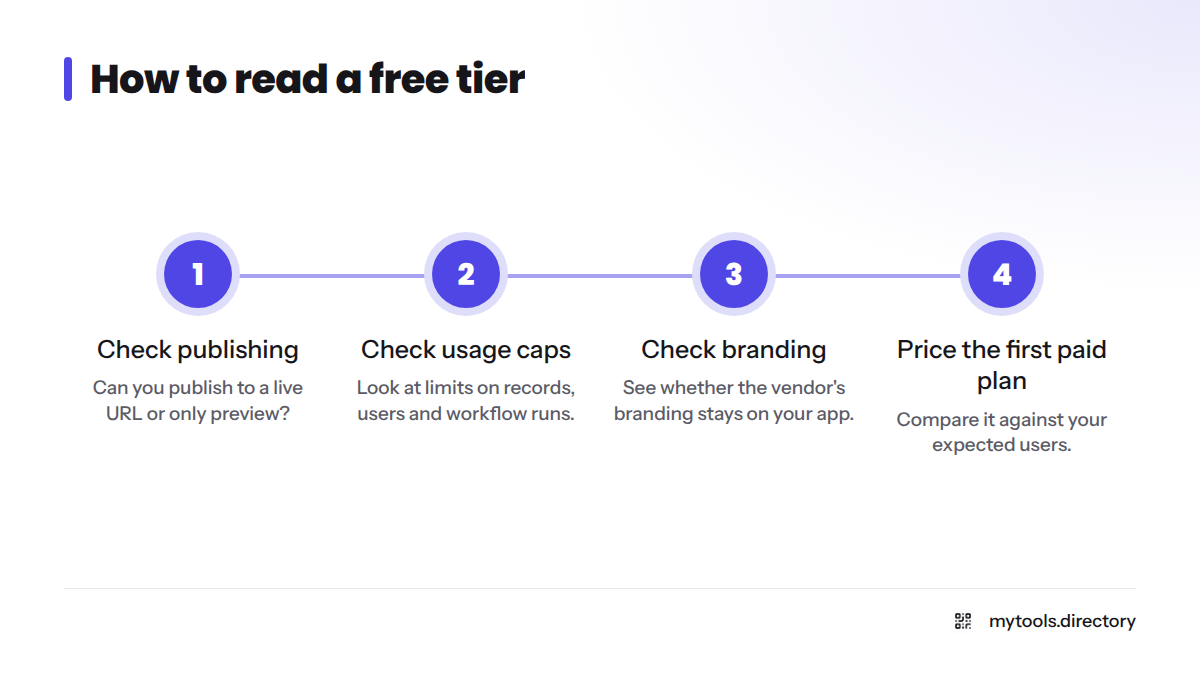
Here is how to read a free tier:
- Check whether you can publish to a live URL or only preview.
- Check the caps on records, users and workflow runs.
- Check whether the vendor's branding stays on your app.
- Find the first paid plan and price it against your expected users.
For more budget-friendly picks, see solo founder resources.
How to choose between these builders
| Your situation | Pick | Reason |
|---|---|---|
| Complex web product | Bubble | Most logic control |
| Data already in a sheet | Glide | Fastest to launch |
| Mobile-first, simple flows | Adalo | Store path |
| Figma design ready | Bravo Studio | Design fidelity |
| Portal on existing data | Softr | Quick front end |
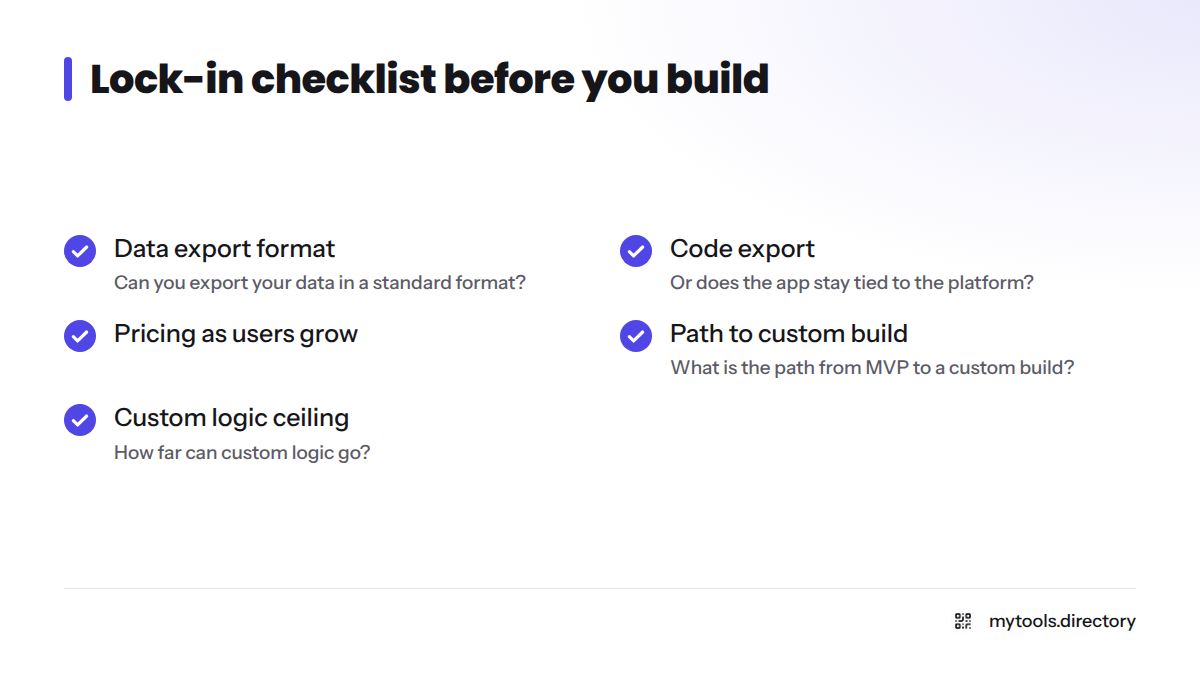
Run through this lock-in checklist before you build:
- Can you export your data in a standard format?
- Can you export code, or does the app stay tied to the platform?
- How will pricing grow as users grow?
- What is the path from MVP to a custom build?
- How far can custom logic go before you hit a ceiling?
Plan your exit before you build. Keep your data exportable, document your workflows, and decide now what user count would trigger a rebuild with a developer. Nobody can promise a builder will scale for you, so test your riskiest feature first.
Next steps: related guides and the full category
Ready to compare more options? Browse the full no-code app builder category, or scan the no-code tools directory. Built a builder yourself? Submit a builder you've made and put it in front of indie founders.
FAQ
Glide is the gentlest start if your data sits in a table, and Adalo is easiest for a first mobile app. Bubble is more powerful but takes longer to learn.
Yes. Builders like Adalo and Bravo Studio produce mobile apps, and many can publish to the Apple and Google stores. You still have to meet each store's review rules.
Custom logic, platform dependence and pricing that grows with usage. Lock-in is the biggest one, because leaving can mean rebuilding. Check data export before you commit.
Yes. A visual editor, templates and a built-in database let you assemble a working app with no programming. Complex products may need a developer later.
Most major builders offer a free plan or entry tier, usually with caps on usage or publishing. Read the plan details on each vendor's pricing page.