No code is a way of building software, such as websites, apps, and internal tools, by arranging visual blocks in a drag-and-drop builder instead of writing programming code. Templates and prebuilt components handle the technical work behind the scenes, so non-developers can build and launch real products.
No code in one sentence: No code lets you build working software by dragging, dropping, and configuring visual pieces, with the programming handled for you by the platform.
A quick note on terms. You will see "no code," "no-code," and "nocode" used interchangeably. This guide covers software development only. It has nothing to do with the medical "no code" order you may see in hospital settings.
I run MyTools, a directory of indie-built products, and I built it without writing code. So I will explain the idea plainly, show what it handled well, and tell you where it runs out of road. Let's break it down.
What Is No-Code Development and How Does It Work?
Think of no code as a layer of abstraction. Someone else wrote the code that stores data, draws pages, and sends emails. The platform wraps that code in visual controls. You make choices, and the platform turns them into a working product.
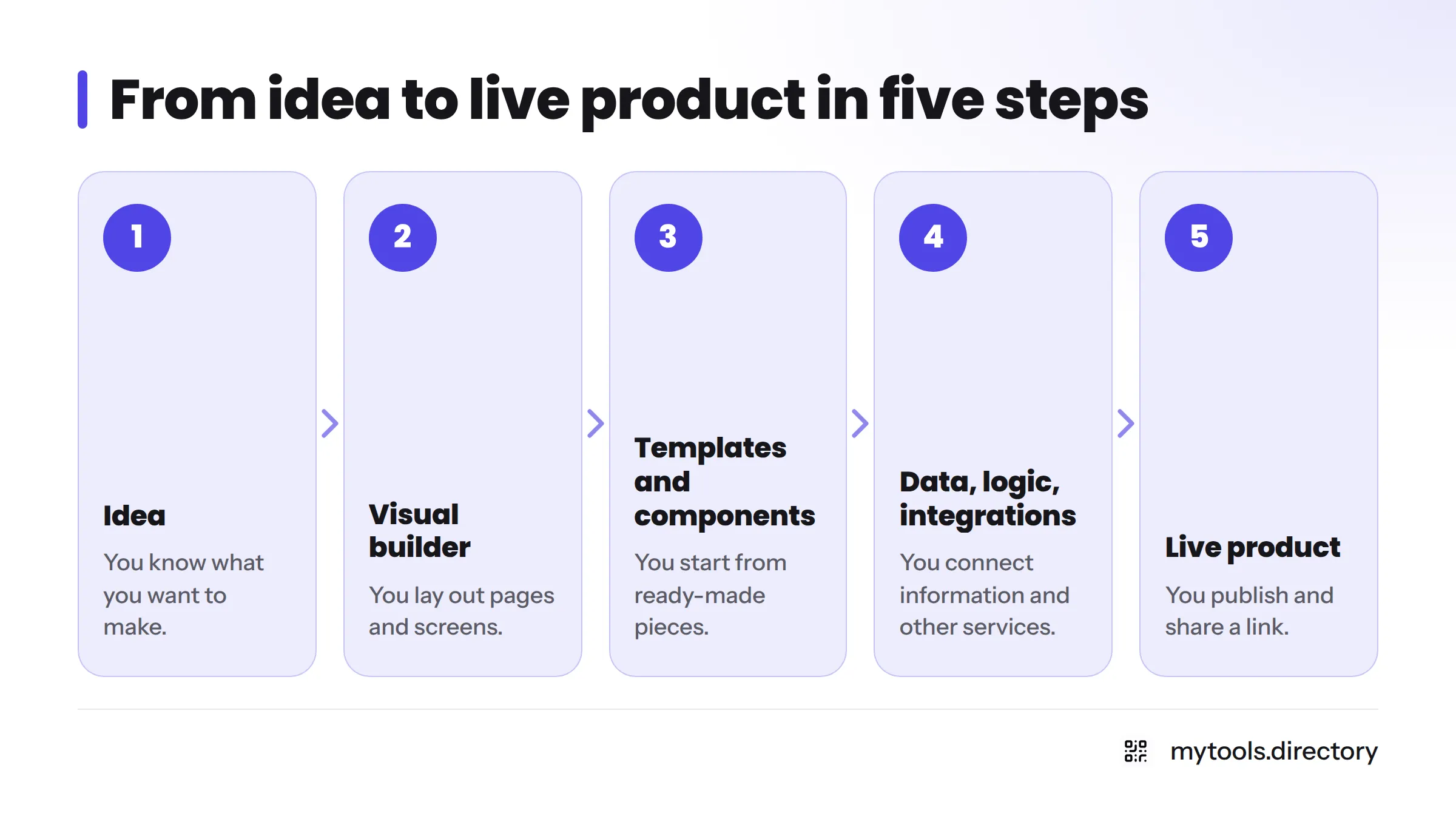
Here is the mental model in five steps:
- Idea: you know what you want to make.
- Visual builder: you lay out pages and screens.
- Templates and prebuilt components: you start from ready-made pieces.
- Data, logic, and integrations: you connect information and other services.
- Live product: you publish and share a link.
The visual builder and drag-and-drop interface
A visual builder shows you what you are making while you make it. With drag and drop, you pick an element, such as a button, a form, or a list, and place it on the page. A side panel controls its text, colors, and behavior. It feels like arranging slides in a presentation, except the result is a working app.
Templates and prebuilt components
Templates give you a finished starting point, like a directory layout or a customer portal. Prebuilt components are the reusable parts: sign-up forms, search bars, pricing tables, payment buttons. You edit them instead of building from nothing. That is why a first version can exist in an afternoon instead of a quarter.
Data, logic, and integrations
Real products need more than pages. Most no-code platforms include a built-in database, simple rules ("when someone submits this form, do that"), and connections to other services. Workflow tools such as Zapier pass information between apps automatically. If that part interests you, our Zapier guide covers what it does, and our page on no code automation tools shows how founders use it.
No Code Examples: What Can You Build?
Plenty of ordinary software fits comfortably inside a visual builder. Common examples:
- Directories and listing sites
- Landing pages and marketing websites (a no code website maker is often the easiest entry point)
- Internal tools and dashboards
- Simple customer portals
- Workflow automations
- MVPs and prototypes
If you want a lightweight starting point for the "idea to prototype" step, read how to prototype an idea without code, a topic we are covering in a dedicated guide.
A real example: building a directory with Directify
This site is the example. I wanted a curated directory of indie tools, and I did not want to hire a developer or learn a programming language first. I used Directify, a directory builder, to set it up. I started from a directory layout, added listings, and shaped the pages in a visual interface rather than in code.
Two things went smoothly. I got a real, public directory online quickly, and I could change pages without fear of breaking something. The limits showed up when I wanted behavior the builder did not offer. Then I had to work within its options or accept a workaround. I will not pretend that never happens. If directories are your target, our directory building guide goes further.
Who Uses No Code Platforms?
The audience is wider than you might expect:
- Solo founders and indie makers who need an MVP without a technical co-founder.
- Marketers who build landing pages and campaign tools without waiting in an engineering queue.
- Operators who replace spreadsheets with a proper internal tool.
- Citizen developers: non-programmers who build business software for themselves or their teams, using approved visual tools.
Many of these people still work alongside developers. No code widens who can build, but it does not remove the need for engineers on complex projects.
What Are the Limits of No Code?
No code is not magic. Here is where I have felt the edges.
Customization ceilings
Every platform offers a fixed menu of components and behaviors. Standard needs fit well. Unusual interactions, such as a heavily customized interface or one-off logic, may not.
Scalability and performance at larger sizes
A small product on a visual platform can run fine. Heavy traffic, huge datasets, or tight performance needs deserve a read of the platform's own documentation and limits before you commit.
Dependence on a platform's features and integrations
You can only connect to what the platform supports. If a service you need is not on its integration list, you wait, use a connector tool, or hire a developer. There are also some lock-in trade-offs to know about before you build something you cannot easily move.
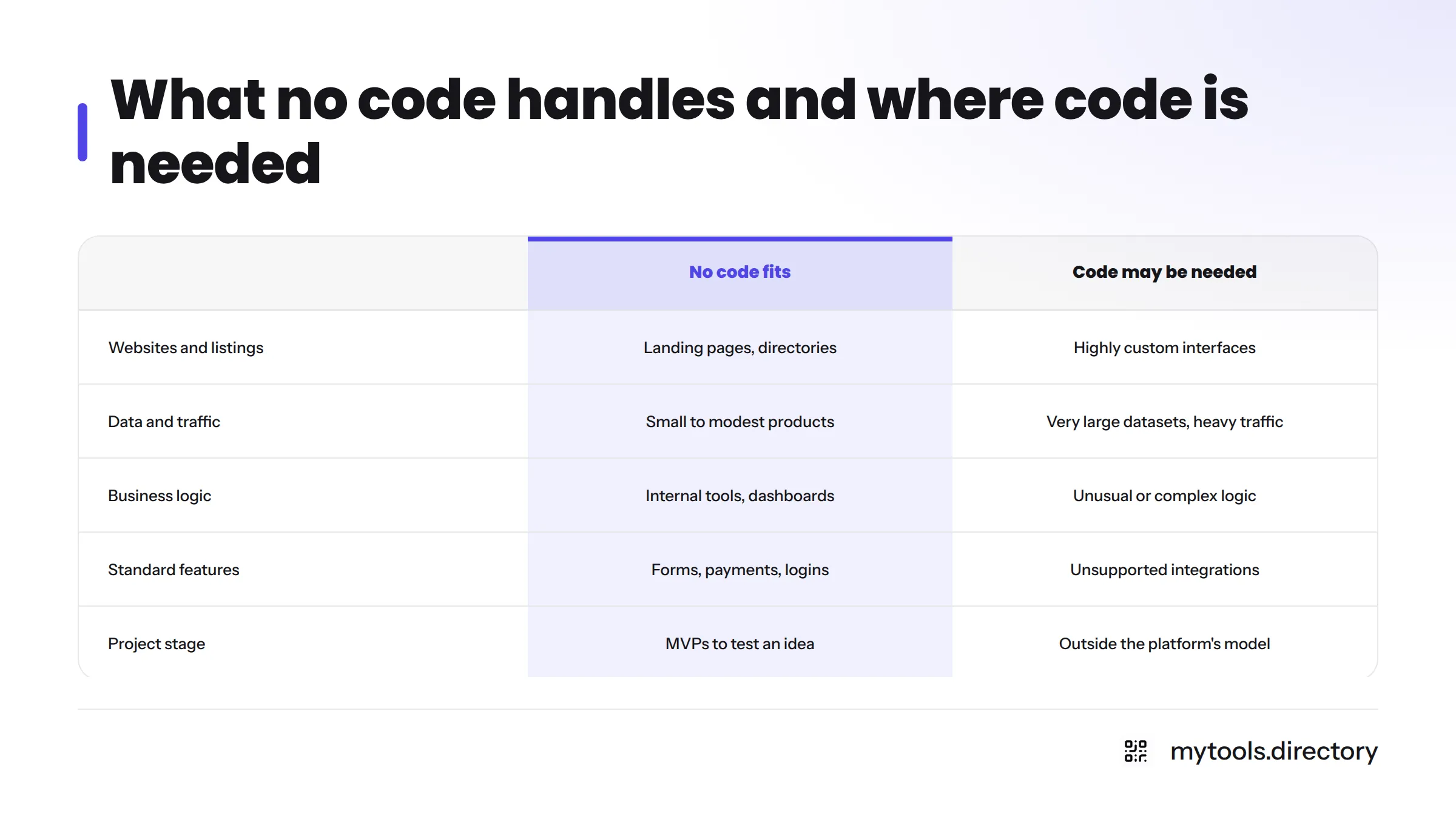
| What no code handles well | Where you may need code or a developer |
|---|---|
| Landing pages and marketing sites | Highly custom user interfaces |
| Directories and listing sites | Very large datasets or heavy traffic |
| Internal tools and dashboards | Unusual or complex business logic |
| Standard forms, payments, and logins | Integrations the platform does not support |
| Simple workflow automations | Strict performance or specialized requirements |
| MVPs to test an idea | Products that must work outside the platform's model |
Teams often ask how low-code differs from no-code. Low-code allows some hand-written code alongside visual tools. We cover how low-code differs from no-code in its own guide, so I will leave the comparison there.
Is No Code Worth It for a First Project?
My honest opinion: yes, for the right project. Run through this checklist:
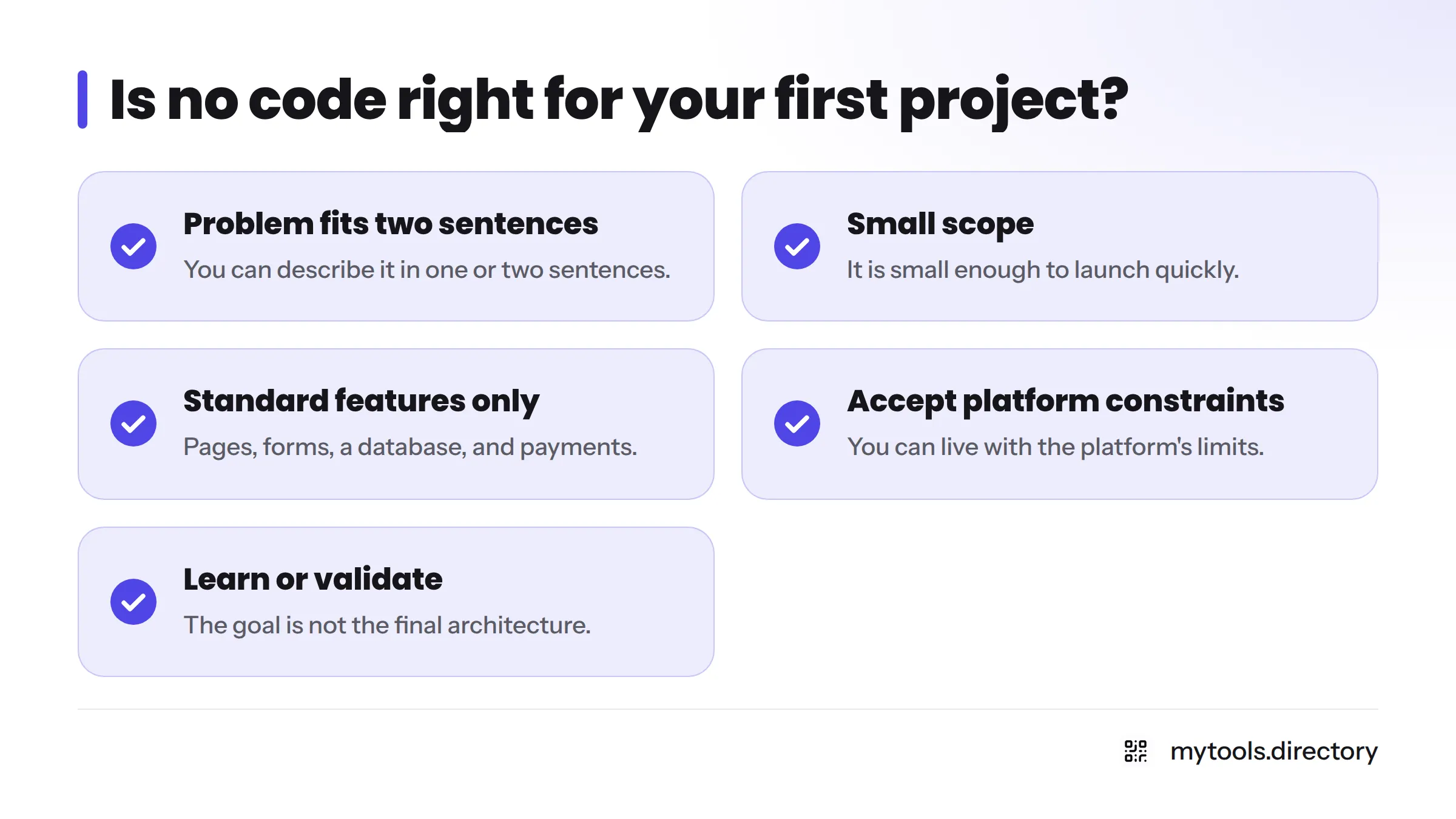
- You can describe the problem in one or two sentences.
- The scope is small enough to launch quickly.
- You need standard features, like pages, forms, a database, and payments.
- You can live with the platform's constraints.
- Your goal is to learn or validate an idea, not to build the final architecture.
If you can tick most of these, no code is a low-risk way to start. If your project depends on something truly custom from day one, talk to a developer first. The old line that the best code is no code holds up for simple, standard products. It stops holding once your requirements get unusual.
Where AI fits in
Many platforms now offer AI-assisted building, where you describe what you want and the tool drafts it. People call these a no code AI platform, and "vibe coding" is a related idea where AI writes code for you. The appeal is the same: less manual building. No Code Is Dead, The New Stack is a long opinion piece debating how AI changes the picture. I treat AI features as a helpful addition, not a reason to skip checking what a platform can do.
Where to Start With No Code
Next steps, kept simple:
- Pick one small project. One page, one tool, one directory.
- Start from a template. Edit before you invent.
- Validate before customizing. Show it to real people first. Polish later.
When you are ready to make something, follow our walkthrough to build your first app without code. To see what other makers use, browse indie-built no code tools and pick a builder that matches your project.
No Code FAQ
No code means building websites, apps, and tools through visual interfaces instead of writing programming code. You arrange ready-made components, set rules, and publish. The platform generates and runs the technical parts, so non-developers can create working software.
Not exactly. Low-code mixes visual tools with some hand-written code, while no code aims to need none. We explain how low-code differs from no-code in a separate guide.
Yes, many small products, directories, and internal tools run on visual platforms. Check each platform's limits against your needs. Not every project fits, and growth may eventually call for a developer.
For a first project with clear, standard needs, I think so. It is a fast, low-risk way to test an idea. Complex or highly custom products may outgrow it.
Anything needing very custom interfaces, unusual logic, heavy performance demands, or integrations your platform lacks may need code or a developer.
It is a builder that lets you describe what you want in plain language and has AI draft the pages or logic for you. You still review and adjust the result in a visual interface.
Sometimes. No code lowers the barrier for simple and standard projects, but it does not replace developers for complex work.
Ready to try it? Visit the no-code tool directory and choose your first builder.