Zapier is a no-code automation platform that connects your web apps. When something happens in one app (a trigger), Zapier runs a task in another (an action). A solo founder can use it to send form submissions to a spreadsheet, get a ping for every new sign-up, or fire off a follow-up email without lifting a finger.
That is the short version. Here is the longer one, written by someone who runs a one-person directory at MyTools and has wired up plenty of these automations by hand. Let's break it down.
What is Zapier? A 60-word answer
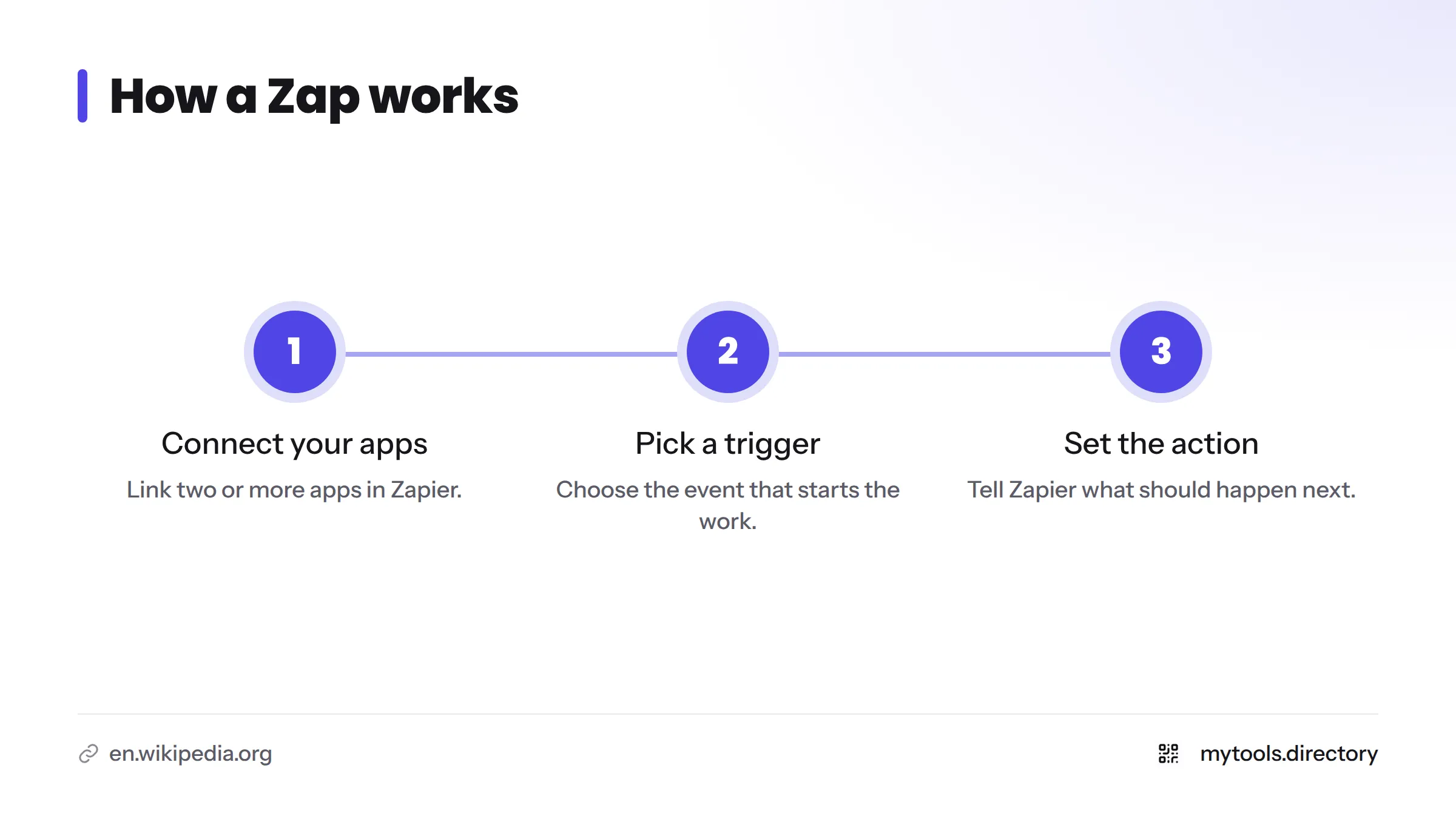
Zapier is a no-code automation platform. You connect two or more apps, pick an event that starts the work (the trigger), and tell Zapier what should happen next (the action). Typical solo-founder jobs include sending a form response to a spreadsheet, pinging you in chat about a new submission, or emailing a welcome note after sign-up.
In one sentence: Zapier watches one app for an event and does a job in another app so you don't have to.
A little background helps. According to Wikipedia's Zapier entry, the company began as a project in 2011 and launched in 2012 through Y Combinator. Its founders are Wade Foster, Bryan Helmig, and Mike Knoop, and the company runs remote-first.
What Zapier does
It connects apps without code
Most small-business tools don't talk to each other by default. Your form builder doesn't know about your spreadsheet. Your payment app doesn't know about your email list. Zapier sits in the middle and links them through app integrations, so you click through menus instead of writing API code. Zapier's own site publishes its current integration count. That number changes often, so check there rather than trusting a figure in a blog post.
It moves data and kicks off follow-on work
The loop is simple. Data arrives in one place, and Zapier carries it to another place and starts the next job. Copying a name from an inbox into a sheet is exactly the kind of chore it removes.
Where Zapier is heading with AI in 2026
Zapier has leaned hard into AI. Its site now promotes Zapier MCP (which uses the Model Context Protocol so AI tools can call actions in your connected apps), Next Gen Zaps, Tables, Forms, and Agents. I cover these at headline level only, because the products shift quickly. Check Zapier's official documentation for current details. Last verified October 2026.
How Zapier works: Zaps, triggers, actions, and tasks
Zapier's vocabulary trips up beginners. This table clears it up.
| Term | Plain-English meaning | Example |
|---|---|---|
| Zap | One automated workflow | "New form entry goes to my sheet" |
| Trigger | The event that starts a Zap | A new response arrives in your form |
| Action | A job Zapier does after the trigger | Add a row in Google Sheets |
| Multi-step Zap | A Zap with more than one action | Add the row, then post to Slack, then send a Gmail message |
| Task | A unit of work Zapier counts when an action runs | One row added = one task |
Zap and trigger
A Zap is the whole recipe. The trigger is its first ingredient: the thing that has to happen before anything else does. Zapier describes a Zap as an automated workflow that completes work across your apps without someone prompting it each time.
Action and multi-step Zap
An action is any job after the trigger. Stack several and you have a multi-step Zap. Mine usually run two or three steps, since longer chains are harder to debug.
Task
A task is how Zapier measures usage. Roughly, each successful action counts, so more activity in your apps means more tasks. Plan details and limits live in our separate guide on whether Zapier is free, so I'll leave numbers out here.
Filters, Formatter, Paths, and webhooks
- Filters stop a Zap unless a condition is true, such as continuing only if an order is above a certain size.
- Formatter cleans up data in transit, like fixing dates or splitting a full name.
- Paths branch a Zap into different routes, sending bug reports one way and sales questions another.
- Webhooks let apps without a ready-made integration send or receive data through a web address. Think of one as a doorbell that one app rings so another app answers.
How Zapier works, in three steps:
- The trigger fires when the event happens in your first app.
- Optional Filter and Formatter steps check and tidy the data.
- The action runs in your second app, and Zapier counts a task.
Picture the flow as a straight line: Trigger, then Filter, then Formatter, then Action, with a task counter ticking up each time an action runs.
Zapier workflows solo founders actually build
What can you automate with Zapier? Start with these:
- Form submissions into a spreadsheet
- New-submission alerts in email or chat
- Follow-up emails after a sign-up
- Lead or directory-submission intake and triage
- Cross-posting content or social updates
Form submission to spreadsheet
This is the classic first Zap. A response lands in your form tool, and Zapier adds a row in Google Sheets. You get a clean log with zero copy-paste.
New-submission notification to email or chat
Set the trigger on the new entry and point the action at Slack or Gmail. You find out in seconds instead of whenever you remember to check.
Follow-up email after a sign-up
A new subscriber triggers a short welcome message. Keep the copy plain and personal. Automation should carry the delivery, not replace your voice.
Lead or directory-submission intake and triage
Incoming submissions can be logged, tagged, and routed. A Filter can hold back obviously incomplete ones, so you review only what deserves your time.
Content or social cross-posting
Publish once, and a Zap can copy the headline and link to other channels. Watch the output for a while, since formatting differs across platforms.
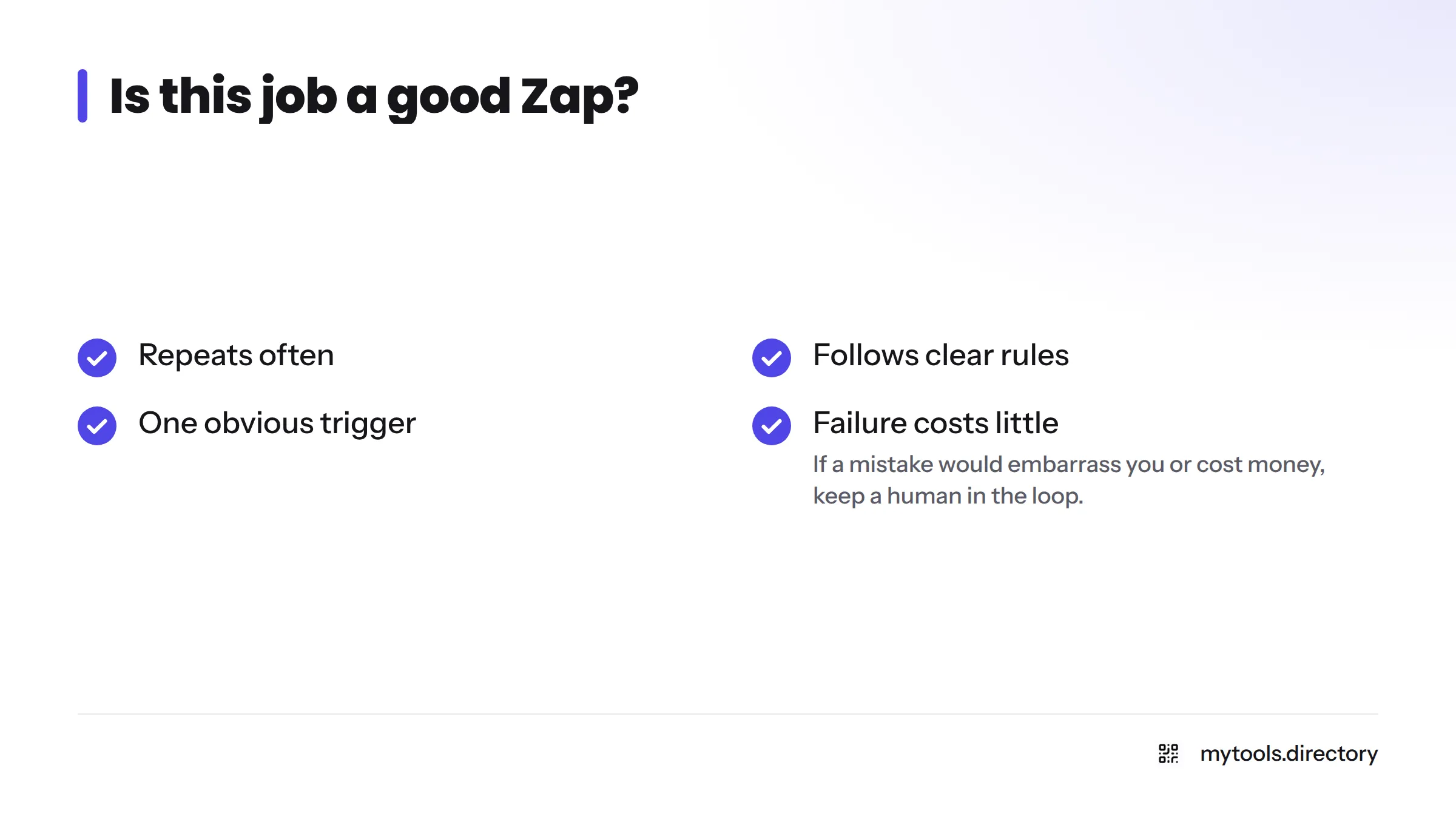
Is this job a good Zap? Check four things:
- It repeats often.
- It follows clear rules.
- It has one obvious trigger.
- A failure costs you little.
If all four are true, automate it. If a mistake would embarrass you or cost money, keep a human in the loop.
Where automation fits when you run a solo directory
I run MyTools alone, so I feel every repeated chore. Automation earns its place in three spots for me: submission intake, notifications, and follow-ups. A new listing request arrives, I get alerted, and a record is stored. That is rule-based work, and a machine handles it well.
Curation stays manual. Deciding whether a tool is genuinely good, honest, and useful to other indie hackers is a judgment call, and I would not hand it to a Zap. Things also break. An app changes a field name, a connection expires, and a quiet Zap stops running until I notice. I won't quote time-saved figures, because I haven't measured them. If you are building something similar, our directory-building guide covers the wider setup.
Indie-built automation listings that cover similar jobs
Zapier is not the only route. The MyTools catalogue lists indie-built products for repeatable work. You can browse the full set of indie-built automation tools, or look at specific listings:
| Job | Where to look | What to know |
|---|---|---|
| Repeatable tasks and video workflows | Veo Flow Automation | See its listing page for exactly what it covers |
| Automating Grok tasks | Auto Grok | Described on its own listing page |
| Wider no-code jobs | No-code tools for solo founders | A broader hub of builders |
I make no claim that these match Zapier on features or reliability. Each listing page states what the tool does, so read it before you decide. For broader picks, see best no-code tools for indie hackers.
Where Zapier falls short for solo founders
Zapier is useful, and it comes with trade-offs worth knowing up front:
- Supported apps only. If your app has no integration, you need a webhook or another route.
- Breakage. Workflows can fail when an app changes or a login expires.
- Task-based usage. Activity in your apps sets your task count, so busy workflows use more. Plan specifics are in our guide on whether Zapier is free.
- Maintenance. Every Zap is something you have to monitor and debug. Check run history now and then.
- Browser-only jobs. If a job happens only inside a website with no API, browser automation may suit you better. A separate guide covers that.
Competitors such as Make take a different, more visual approach to building workflows. Try a free tier of each before you commit.
Is Zapier for small business? Who it fits and who it doesn't
Zapier fits you if:
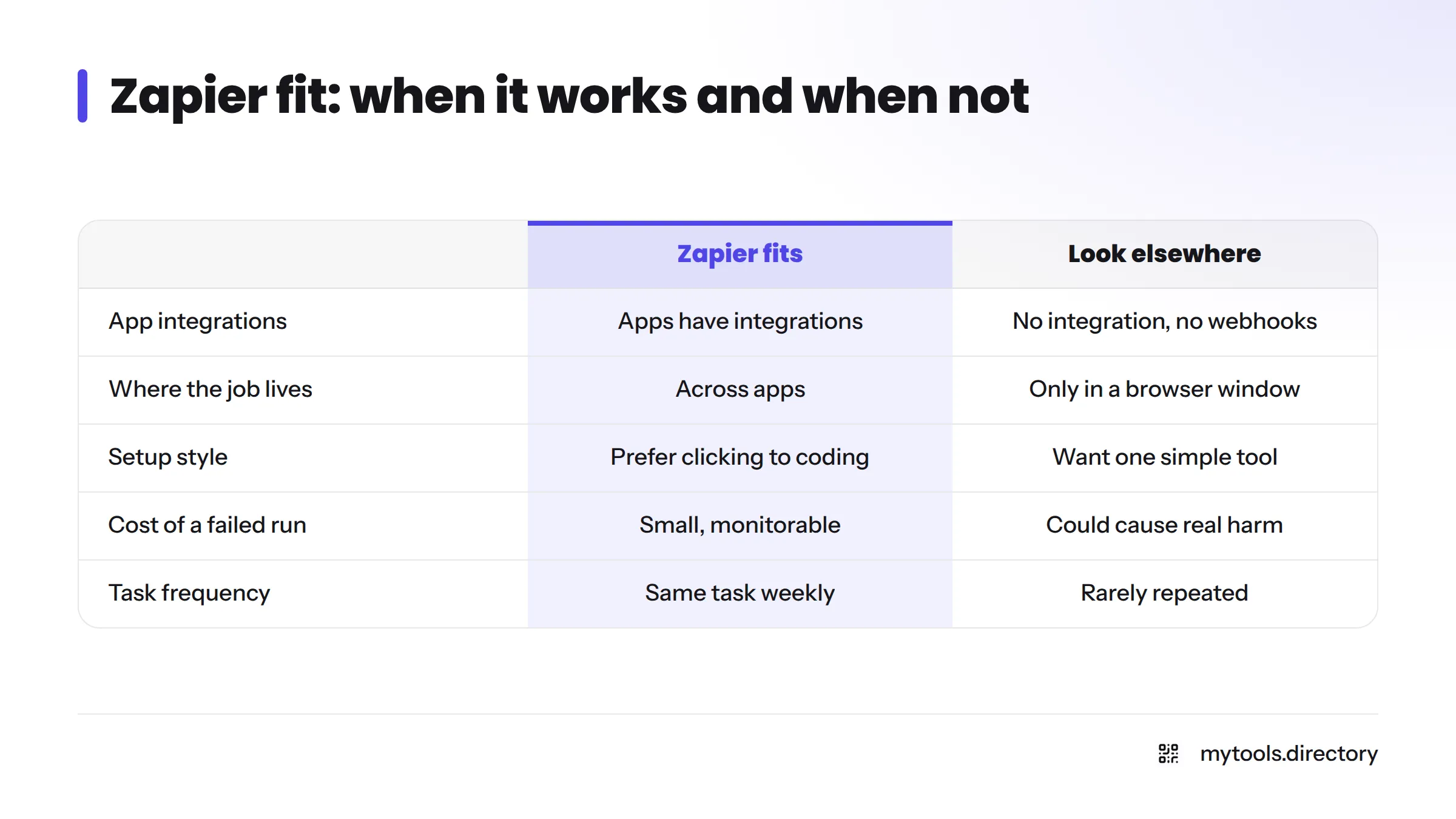
- You repeat the same cross-app task weekly.
- Your apps already have integrations.
- You prefer clicking to coding.
- You can spare a little time to monitor runs.
Look elsewhere if:
- Your main app has no integration and you can't use webhooks.
- The job lives only in a browser window.
- You want one simple tool rather than a chain of connections.
- A failed run would cause real harm.
Zapier also serves small teams well. If you are weighing it for a small business, the same checklist applies.
Next steps: read our separate guides on whether Zapier is free, what automation platforms are, and browser automation as an alternative. You can also browse the solo founders hub for more tools.
Ready to compare? Browse the indie-built automation tools on MyTools and find one that matches your job.
Zapier FAQ
People use Zapier to connect apps and automate repeatable work, such as logging form responses, sending alerts, and emailing follow-ups.
Form-to-spreadsheet entries, new-submission notifications, welcome emails, lead intake, and cross-posting are the common starters.
A Zap is one automated workflow: a trigger followed by one or more actions.
A task is a unit of usage that Zapier counts when an action runs successfully.
No. Zapier is no-code, so you build Zaps by picking apps and options from menus. Webhooks and Paths are optional extras for people who outgrow simple Zaps.
Options include Make and indie-built tools. See the indie-built automation tools catalogue for the ones MyTools lists.
Short answer: see our separate guide on whether Zapier is free.