Typeform is an online form builder that shows one question at a time in a conversational format. A solo founder can use it for lead capture, feedback, applications, and quizzes. Responses can flow to Google Sheets, a no-code database, or an automation through native integrations, Zapier, or webhooks. Here is what it does and when I would pick something else.
Looking for the login? Go to typeform.com and sign in there.
I run MyTools, a directory of indie products. Maker submissions keep that directory alive, so I have spent real time choosing and wiring a form tool. MyTools is not affiliated with Typeform, and I earn nothing from recommending it. I checked the facts below in 2026, and you should confirm plan details on Typeform's own pages before you buy.
What Is Typeform? The 60-Word Answer
Typeform is a hosted form builder. Instead of a long page of fields, the respondent sees a single question, answers it, and moves to the next. The format feels closer to a chat than a tax form.
Typeform says this format lifts completion rates compared with traditional forms. Treat that as a vendor claim. My own forms have seen smoother completion, but I have no controlled test to prove it.
How Typeform Forms and Surveys Work
Let's break it down. A Typeform survey or form is a sequence of screens, each with one prompt. You design them in a visual editor, then share a link or embed the form on your site.
The conversational format
Each screen has one job. That keeps the respondent focused and makes mobile completion easier, because nobody scrolls through a wall of inputs. The trade-off: people cannot scan the whole form first. A ten-question survey handles that fine. A sixty-field application gets tiring fast.
Typeform logic jumps and hidden fields
Two features separate a serious form from a toy. Typeform documents both in its help center.
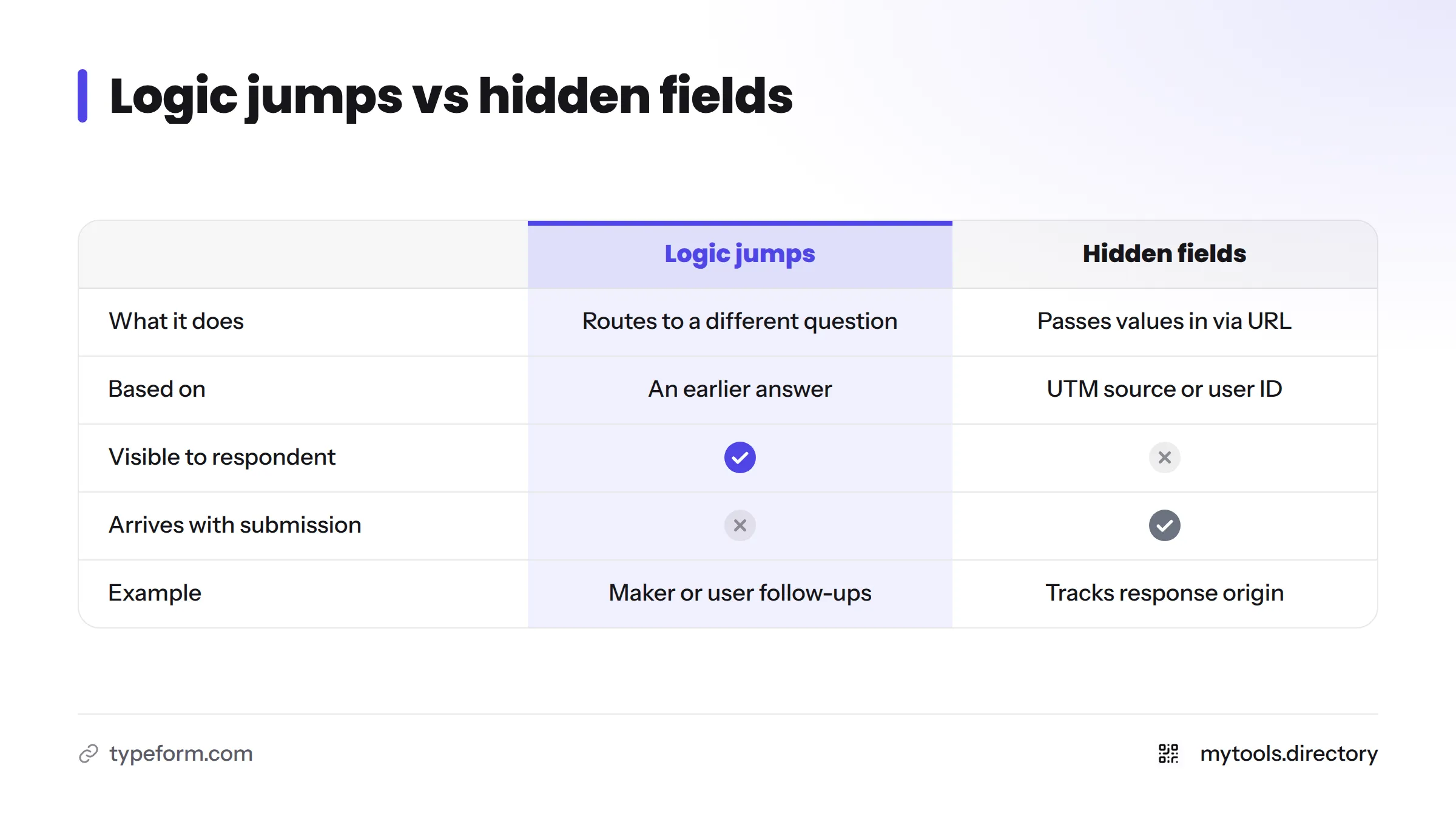
- Logic jumps (conditional logic): rules that send a respondent to a different question based on an earlier answer. An "Are you a maker or a user?" question can route each group to its own follow-ups.
- Hidden fields: values you pass in through the form's URL, such as a UTM source or user ID. The respondent never sees them, but they arrive with the submission and tell you where each response came from.
Question types, media, and AI
Typeform supports text, multiple choice, ratings, file uploads, and more. Its site also lists payments, e-signatures, and video or audio answers. Typeform AI can draft a form from a prompt, which speeds up the first version. Check the current plan page to see which features sit on which tier.
Typeform for Solo Founders: Where It Earns Its Place
What is Typeform used for? These are the uses I find most helpful for a one-person company:
- Waitlist and lead capture
- Customer feedback and NPS surveys
- Applications and intake forms
- Quizzes that segment visitors
- Event or webinar registration
- Product or tool submissions
| Use case | Why Typeform fits | Feature that matters |
|---|---|---|
| Lead capture | Short, friendly flow | Hidden fields for source tracking |
| Feedback | Higher chance people finish | Rating and opinion scales |
| Applications | Branching by answer | Logic jumps, file upload |
| Quizzes | Personalized outcomes | Scoring and logic |
| Submissions | Clean structured data | Webhooks, integrations |
For more tools that fit this kind of lean setup, see the solo founder hub.
How I Collect Maker Submissions for a Directory
No vendor page tells you this part. Here is my actual pattern, and you can copy it.
The form design
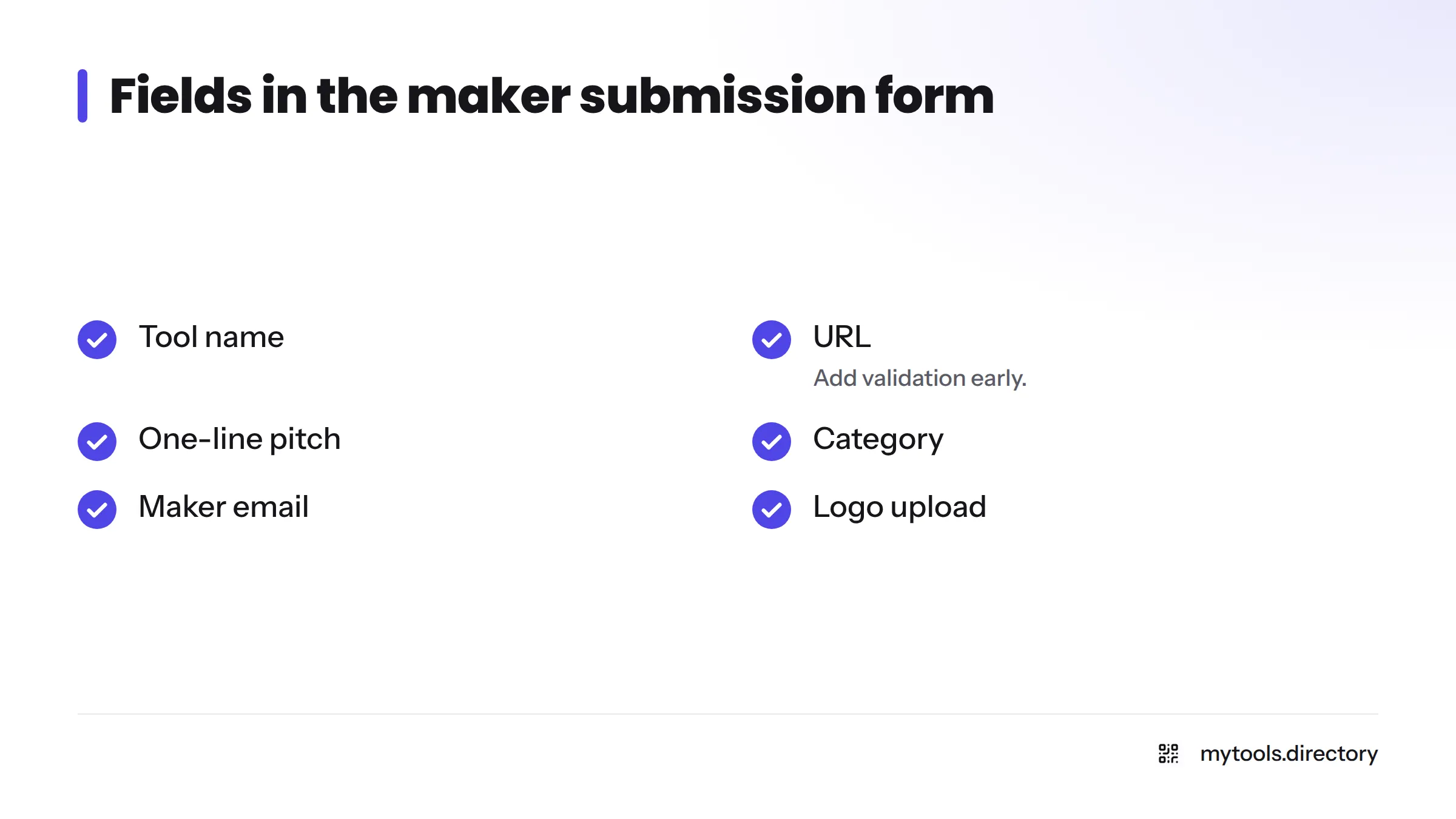
I keep the form short. The fields: tool name, URL, one-line pitch, category, maker email, and a logo upload. One logic jump asks whether the tool is free, paid, or freemium, and only paid tools see a pricing question. A hidden field records the page the maker came from, so I know which channel brings the best submissions. To see the end result, the submit page explains what makers should prepare.
Where the data goes
Each submission fires to a webhook or a Zapier step. From there it lands in a database table with a "pending" status. I review each row by hand, then flip it to "published." Nothing goes live without a human check, which keeps spam out.
The flow looks like this:
- Maker completes the Typeform.
- Typeform sends the submission to a webhook or Zapier.
- The automation writes a row to the database.
- I review and publish.
What I would change
I made two mistakes. I added too many optional fields at the start, and completion dropped, so I cut them. I also skipped early URL validation and cleaned bad links by hand for weeks. Add validation wherever the form allows it, and test with a fake submission before you share the link.
Typeform Integrations and Where Responses Can Go
You have three routes, and the right one depends on effort and control. Typeform lists its connectors on its integrations page.
| Method | Setup effort | Best for |
|---|---|---|
| Native integration (Slack, HubSpot, Google Sheets) | Lowest | Quick alerts and simple storage |
| Zapier | Low to medium | Multi-step automations without code |
| Webhook | Medium | Custom endpoints and full control |
Native integrations
Use these when a direct connector exists for your tool. You click, authorize, and map fields. Nothing else needs maintenance.
Zapier
Zapier sits between Typeform and thousands of other apps. I cover the mechanics in my guide to sending Typeform responses through Zapier, so I will not repeat them here.
Typeform webhooks
A webhook sends each submission to a URL you control as a JSON payload, as soon as it arrives. Typeform documents this in its webhooks help article. It suits you if you have a small endpoint or a database that accepts incoming requests.
Google Sheets and no-code databases
Can Typeform send responses to Google Sheets? Yes. Typeform lists a Google Sheets integration, and Zapier can do it too. Storing responses in a no-code database or a spreadsheet backend deserves its own article, so I skip the setup steps here. Browse the no-code tools directory for database options.
Typeform Alternatives and Typeform vs Google Forms
Which is better, Google Forms or Typeform? It depends on budget and polish. Google Forms is free with a Google account and shows many questions per page. Typeform looks sharper and branches more gracefully, but you pay for more capacity. Confirm current limits on each vendor's pricing page, since plans change.
| Tool | Format | Best for | Where to check pricing |
|---|---|---|---|
| Typeform | One question at a time | Polished branching forms and surveys | Typeform pricing |
| Google Forms | Multi-question pages | Free, simple internal forms | Free with a Google account |
| Tally | Document-style editor | Founders watching their budget | Tally pricing |
| Jotform | Classic or card layouts | Heavy customization and templates | Jotform pricing |
For a wider set of indie-built options, check the alternatives page.
When Typeform Is Not the Right Fit
Is the Typeform free plan really free? It costs nothing, but it limits what you get. Typeform's pricing page shows the current caps on responses and features, so read it before you build anything you plan to grow.
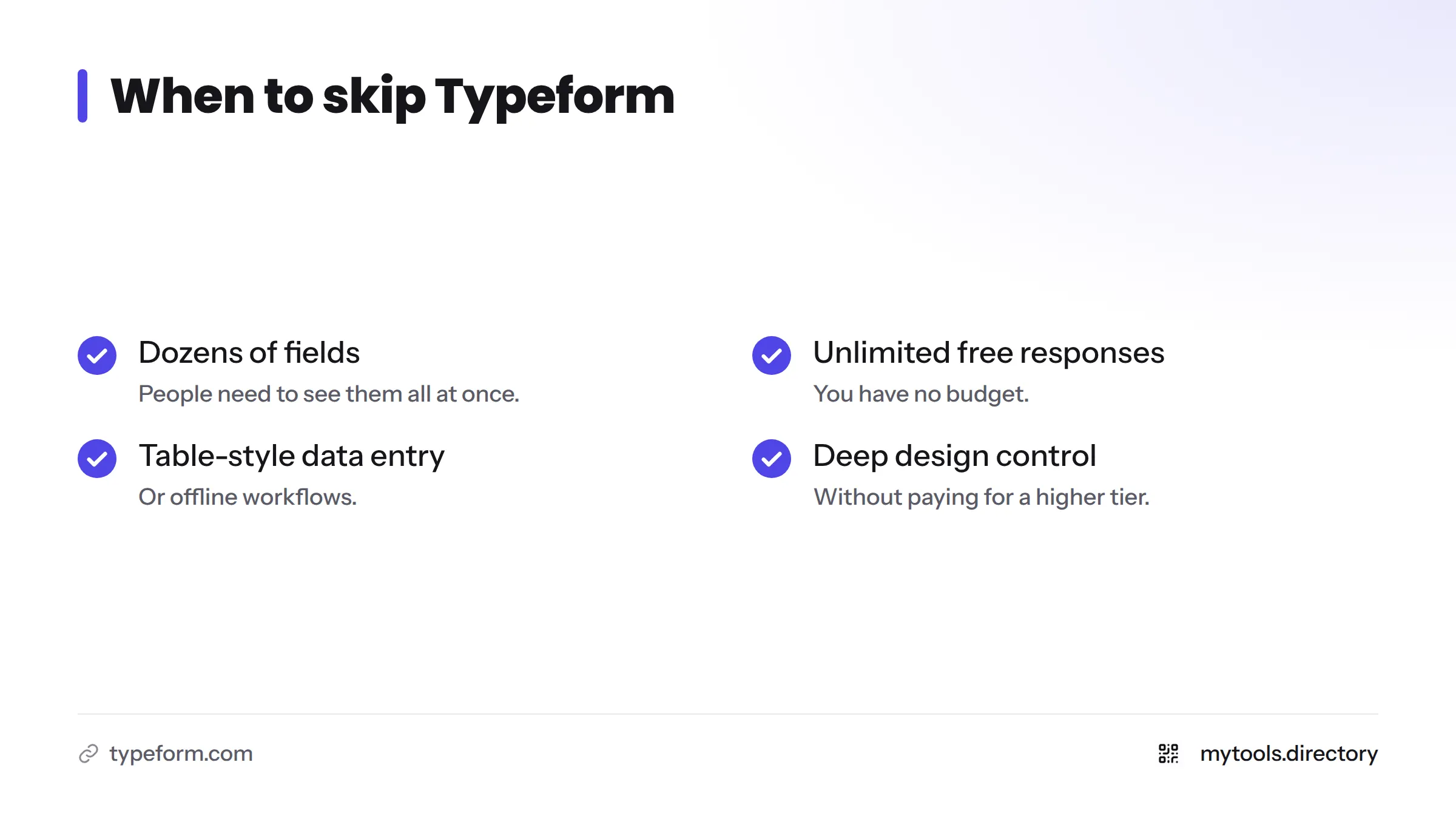
Skip Typeform if any of these describe you:
- Your form has dozens of fields and people need to see them all at once.
- You need unlimited free responses and have no budget.
- You need table-style data entry or offline workflows.
- You want deep design control without paying for a higher tier.
My rule of thumb: if you need branching and polish and have some budget, use Typeform. If you need free and fast, try Tally or Google Forms.
FAQ
People use it to build forms, surveys, quizzes, applications, and lead capture flows. Founders also use it for feedback and for collecting structured submissions.
Google Forms wins on price and simplicity. Typeform wins on look, logic, and the conversational feel. Pick based on your audience and budget.
There is a free plan with limits. Check Typeform's pricing page for the caps that apply today.
Yes. It is a long-running company founded in 2012, and many businesses use it. Always use the official typeform.com domain.
Yes, through its Google Sheets integration or through Zapier.
Yes. Webhooks push each submission to your endpoint in real time.
Next Steps
Start with one short form and one clear goal. Wire it to a sheet or database, test it, then add logic once the first version works. When you are ready to connect forms to storage and workflows, browse these no code automation tools built for solo founders.