Namechk is a free tool that checks whether a username, brand or business name is available across many social platforms and domain extensions in one search. It works as a username availability checker: you type a name, it tests that name on each platform, and it reports taken or open. Treat the result as a fast first filter, not a guarantee. Let's break it down.
What Is Namechk? The 60-Word Answer
Definition: Namechk is a free availability checker. You type one name, and it shows which social platforms and domain extensions look open or taken. It is a quick screen before you commit to a product name, not proof that you can register the handle.
Founders reach for it at one specific moment. You have a name you love, and you need to know whether @yourname is free before you print it on a landing page. The official Namechk site describes the service as a way to check a name across social networks and domains, and it also links to name generators.
This page doubles as a short Namechk review, written from the point of view of someone who secures handles for a directory. I flag every claim I have not tested myself.
Is Namechk free, and do you need an account?
Namechk's search is free, and from how the tool presents itself on its site, you can run a check without creating an account. I have not tested every feature behind a login, so confirm any extras on namechk.com before you rely on them. Also keep it separate from Namecheap, which is a domain registrar, and from generic "name check" pages. They are different companies.
How a Username Checker Works
The mechanics are simple. A username checker builds the profile address a platform would use for your name, such as a URL ending in /yourname. It then asks that address whether a profile exists.
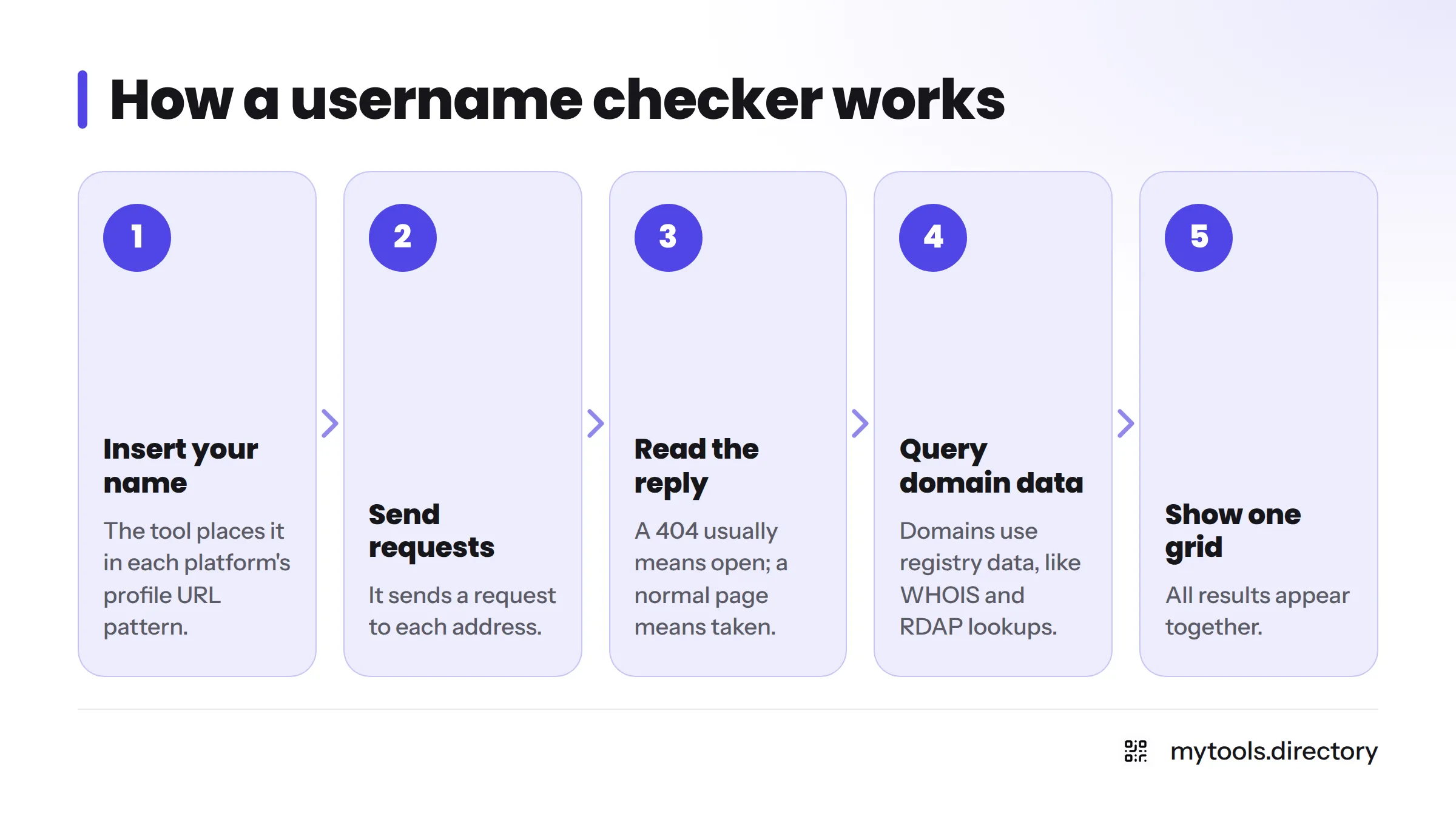
What happens when you press search
- The tool takes your name and inserts it into each platform's profile URL pattern.
- It sends a request to each address.
- It reads the reply. A "not found" response (an HTTP 404 status code) usually means the handle is open. A normal page usually means it is taken.
- For domains, it queries registry data, the same kind of lookup behind WHOIS and RDAP, which ICANN oversees for the domain system.
- It shows everything in one grid.
How to read open, taken and error results
Tools use different colors, so check the legend on the page. This table shows how I read the four cases.
| What you see | What it usually means | What I do next |
|---|---|---|
| Open or available | No profile found at that address | Try to register it, since the check can be wrong |
| Taken | A profile exists | Look at it. Is it active or abandoned? |
| Unverifiable or error | The platform blocked or confused the check | Check by hand on the platform |
| Open but fails on signup | The platform's rules reject the name | See the limits section below |
What Namechk Checks: Usernames, Domains and Coverage
Namechk covers two groups: social profiles and domain names. That pairing is what makes it useful for a brand handle search, since you see both sides of a name at once.
Social media platforms
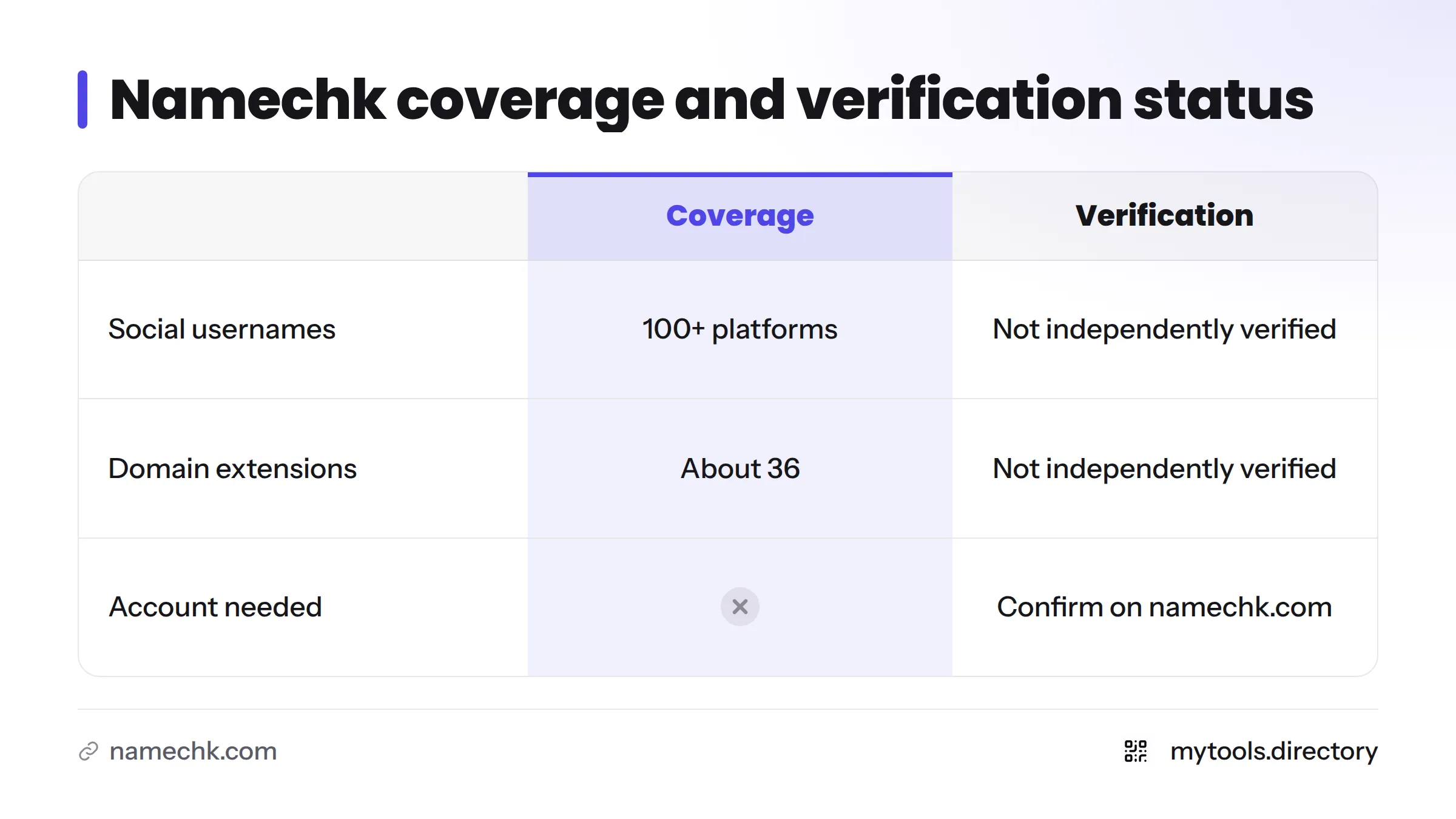
Expect the big networks founders care about, including X, Instagram, TikTok, YouTube and GitHub. Namechk describes its own coverage as spanning many social platforms. Public summaries mention 100+ platforms, but I have not verified that number. Treat it as Namechk's claim, not a fact I tested. Platform lists also shift as sites rise and fall.
Domain extensions
Namechk also checks domain extensions such as .com, so you can see a handle and a domain side by side. Public descriptions mention 36 extensions. Again, that is Namechk's own description, and I have not independently confirmed it. I cover the buying steps separately in a guide on how to find an available domain alongside your handle.
| What is checked | Coverage as described | Verification status |
|---|---|---|
| Social usernames | Many platforms (100+ in public summaries) | Attributed to Namechk, not independently verified |
| Domain extensions | About 36 per public summaries | Attributed to Namechk, not independently verified |
| Account needed | No, per the tool's presentation | Confirm on namechk.com |
Namechk Alternatives and Similar Username Checkers
Several tools do a similar job, so I list them neutrally. Check each site for current coverage before you rely on it. If you want to check a username across platforms with a second opinion, any of these will do.
| Tool | Focus | Best for | Caveat |
|---|---|---|---|
| Namechk | Usernames plus domains in one view | Founders testing a name fast | Results are a first filter |
| KnowEm | Username and brand checks, with paid registration help | People who want help claiming names | Paid services sit alongside the free check |
| Instant Username Search | Fast username lookups | Quick handle-only checks | Focused on usernames, not domain planning |
| WhatsMyName | Open-source username search | Technical users and researchers | Built for lookups, less for naming |
| NameCheckup | Name checks across handles and domains | A second opinion | Run it next to another tool |
Running two tools on your top pick is cheap insurance. If they disagree, check the platform by hand.
If you are building a launch stack around your new name, browse the design and branding assets we list for indie founders.
A Founder Workflow: Check Handles and Domains Together
I secure handles for a directory, and this is the routine I use for handle availability.
- Shortlist 3 to 5 names. More than that and you stall.
- Run each through a username checker. Note which platforms matter for your product.
- Mark the open handles on those platforms only.
- Check the domain at the same time. Handle and domain should tell one story.
- Pick the name with the most consistent handle. The same string everywhere beats a perfect name with five different spellings.
- Reserve quickly. Open handles disappear.
- Record where each one lives. Write down the platform, email used and date.
Platform priority by product type:
- Developer tool: GitHub, X, then your domain.
- Consumer app: Instagram, TikTok, X, YouTube.
- Creator brand: YouTube, Instagram, TikTok.
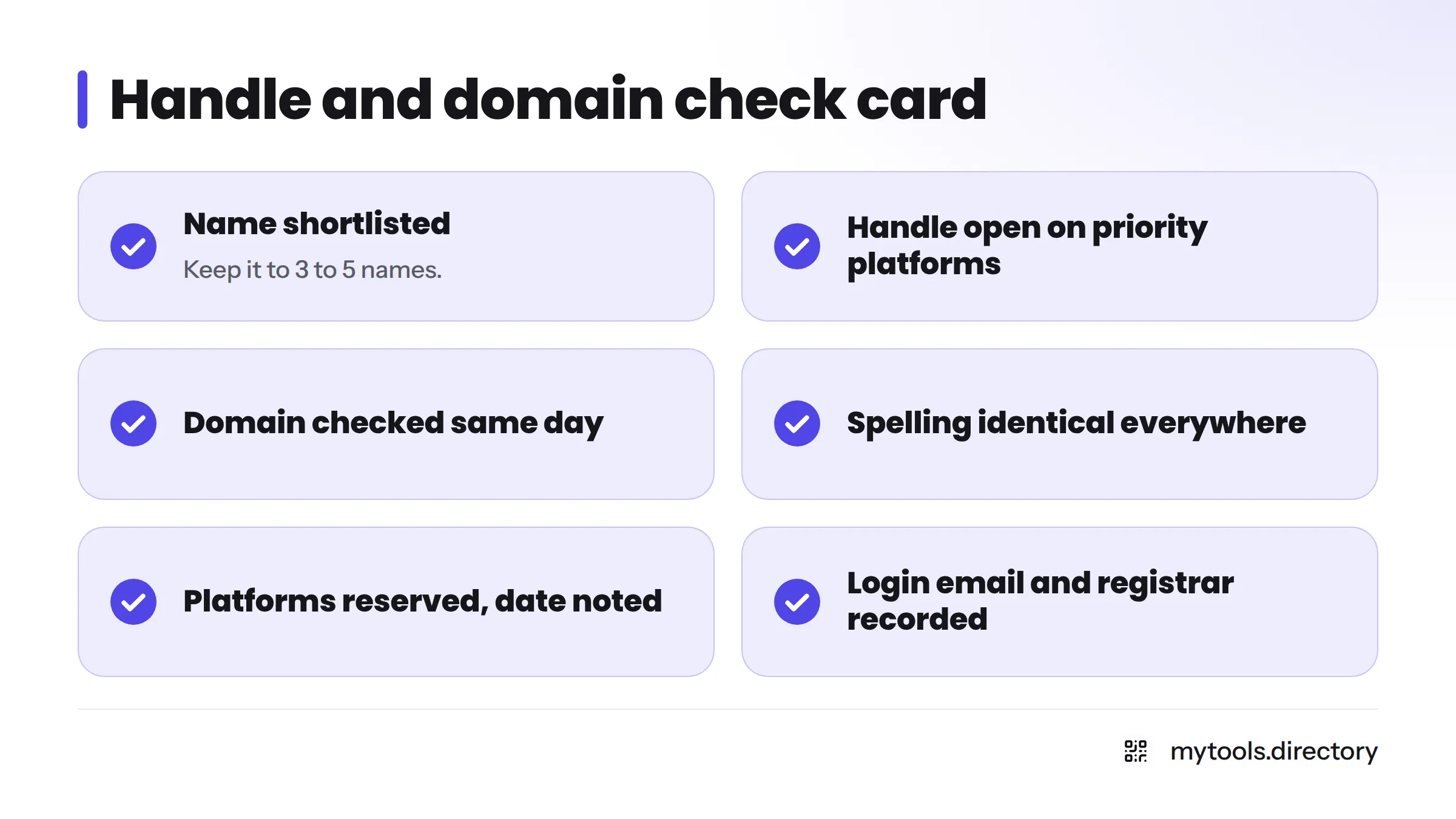
Handle and domain check card (copy this):
- Name shortlisted (3 to 5)
- Handle open on each priority platform
- Domain checked the same day
- Spelling identical everywhere
- Platforms reserved, date noted
- Login email and registrar recorded
Here is why I push the manual follow-up. I once found a handle that showed free in a checker, then failed at signup because the platform's rules rejected it. I lost an afternoon. A checker is a first filter, not a final answer.
Want a video walkthrough? This short demo shows a live check.
Limits of Username Checkers
False positives and false negatives
A false positive says "available" when the name is not. A false negative says "taken" when it is actually free. Both happen because checkers infer the answer from a web response. Platforms that block bots, show login walls or return odd status codes can fool the check.
Platform username rules
Platforms set their own limits on length, allowed characters and reserved words. GitHub's username rules, for instance, restrict what an account name can contain. A handle can look open and still be invalid on a given platform, so read each platform's help page before you assume.
Taken, inactive and banned names
"Taken" does not mean "in use." Some accounts sit dormant, and some names are reserved or blocked by the platform. A checker cannot tell these apart, and some platforms run their own processes for inactive names.
Not legal advice. A free handle does not mean the name is safe to use as a brand. Trademark clearance is a separate question for a qualified professional. For judging name ideas on their merits, see NameScore for judging name ideas.
Next Steps After You Find an Open Handle
- Reserve it now on the platforms that matter. Waiting is the main way people lose a name.
- Keep the handle consistent across platforms. Underscores and prefixes make you harder to find.
- Register the domain the same day.
- Re-check before launch. Availability can change in the weeks between naming and shipping.
- Build from there. Our guide on how to build your brand once the name is secured picks up where this one stops. If you plan to share progress as you go, the build in public guide shows how handles fit that habit.
MyTools is a directory of indie products, and the internal links here point to pages on our own site.
FAQ
Namechk is a free tool that checks whether a username, brand or business name is available across social platforms and domain extensions in one search. It gives you a quick read on handle availability before you pick a product name.
Yes, the basic search is free, and based on how the tool presents itself, it does not require an account. Check namechk.com for extra features or changes to its terms.
It is a good first filter, but no username checker is perfect. Results can be false positives or false negatives, and platform rules can block a name that looks open. Always confirm on the platform itself.
Yes. It shows domain extensions next to social handles so you can compare both. Public summaries cite 36 extensions, which is Namechk's own description and not something I verified.
No. It reports availability only. You have to create the account or register the domain yourself on each platform or registrar.
No. Namecheap is a domain registrar and a separate company. Namechk is an availability checker.
Re-check right before you announce, and again if weeks pass. Anyone can claim a handle at any time.